Q…/Free: Bug in QProcess writeToStdin

All right, this post is just to stop somebody else’s suffering in figuring out why writing to stdin in QProcess on Version 3.3.x-8 of Q…/Free doesn’t work on Windows. Well, actually it works but just for the first line you write to stdin. There is a bug in qprocess.cpp at line 730:

void QProcess::writeToStdin( const QString& buf )
{
    QByteArray tmp = buf.local8Bit();
    tmp.resize( tmp.size() - 1 ); // drop the implicit \0
    writeToStdin( tmp );
}

should be:

void QProcess::writeToStdin( const QString& buf )
{
    QByteArray tmp = buf.local8Bit();
    tmp.resize( buf.length() );
    writeToStdin( tmp );
}

Verision 3.3.7-7 includes the latter method, same as the latest Qt 4.3 sources. So, it’s actually a regression in 3.3.x-8. If you require the latest Qt 3 / Q…/Free for your open source application and need to write to some other processes’ stdin, you can just use a wrapper workaround that uses the latter method and directly uses writeToStdin( const QByteArray& buf ) instead of the QString variant.

rdesktop: Connect to Windows Vista with ClearType font smoothing enabled

So Windows Vista finally allows to enable ClearType font smoothing for Remote Desktop / Terminal Services sessions.
If you try to connect to a machine running Windows Vista using rdesktop, you won’t get smoothed font typing since at the time of this writing rdesktop does not officially offer an option to control this feature. However, here is a workaround:
Continue reading ‘rdesktop: Connect to Windows Vista with ClearType font smoothing enabled’

QScrobbler

QScrobbler

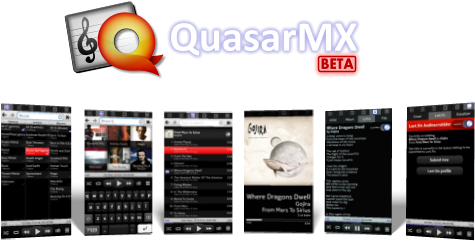
Today I’m releasing QScrobbler: a Last.fm / Audioscrobbler add-on for Quasar Media Player.

As with Quasar, I’ve been using QScrobbler for almost a year now and finally decided it is ready for the public. ;)
For more details please visit the project’s homepage here.

Quasar Media Player

Quasar Media Player

Finally! Almost a year after the first mentioning of my new media player for the Sharp Zaurus and after several development hiati, I’m today officially releasing the Quasar Media Player for SharpROM- and pdaXrom-based distributions.
For more details please visit the project’s homepage here.

New Release: iTunes Alternative Encoders 1.5

Yet another minor release of my iTunes script-suite iTunes Alternative Encoders. This one fixes a character encoding issue in the Ogg Vorbis encoder script. I figured this one out while debugging my Quasar Media Player with files containing Umlauts and other non-latin characters. Ogg Vorbis files produced with the previous version of the script contained “#” in the tags instead of the correct characters.
Get the fixed version while it’s hot: Download here.

Enhanced audio driver for Zaurus SL-C1000/C3×00 available

Today I’m officially releasing my extended driver and mixer for the Wolfson WM8750 CODEC / sound chip that comes included in the latest Zaurus models.
The driver exposes the following new features:

  • ability to set and control Treble, Bass and 3D stereo sound enhancement;
  • ability to set and control various cut-off frequencies supported by the sound chip;
  • output source selection (Autodetect, Internal Speaker, Headphone).

These features can be easily accessed via a Qt based mixer control app or directly via a /proc/driver/wm8750 kernel interface.

{wm8750mixer} WM8750 mixer control app running on pdaXii13 and X11.{wm8750mixer} WM8750 mixer control app running on Cacko ROM and Qtopia.

Both, the driver and the control app are available for Sharp ROM / Cacko ROM and pdaXrom beta 3 / pdaXii13.

Kernel patches are available for Sharp’s Linux kernel 2.4.20 and can be downloaded here:
http://www.katastrophos.net/zaurus/sources/wm8750mixer/
(No kernel 2.6.x support yet. Sorry folks.)

By default the audio driver is compiled into the kernel. Sharp didn’t compile it as module, so it can’t be easily replaced. Same goes for most third party ROMs. You’ll have to reflash your kernel to install the new driver.
In case you don’t want to roll your own kernel, I’ve made pre-compiled kernels available for all supported ROMs and models here:

http://www.katastrophos.net/zaurus/kernels/v55/

The control app and start up scripts are available as IPK here:

wm8750mixer_0.9_arm.ipk - WM8750 mixer for Sharp ROM / Cacko ROM
wm8750mixer_0.92_armv5tel.ipk - WM8750 mixer for pdaXrom beta 3 / pdaXii13

On a side note, we’ve been discussing the extended features of the WM8750 audio chip for quite some while in this thread over at the OESF forums. I have the feeling the driver and the Qt application have received a fair bit of testing. So, that’s why I am officially releasing it today.

“Yet Another Zaurus Media Player”… not dead yet: “Quasar Media Player”

Alright, this blog has been very quiet for the last few months. That’s partially due to me being very busy with other stuff.
I’m slowly picking up pace and getting things done again.

So, here is a short update on the media player that I’m currently developing for my Zaurus. Well, actually it’s been in long-term testing mode for ages now… :)
I finally have a name for it. It will be called “Quasar Media Player” - or shorter “Quasar”. Below are some screenshots of the current development version running on Qtopia. I hope to have a release ready soon.

{Quasar} Shown is the new toolbar and play list selector.{Quasar} The new play info screen. Cover art is supported and rendered in this funky view. Any Satch fans out there? ;){Quasar} More eyecandy.{Quasar} Normal list view filtered.

New Release: iTunes Alternative Encoders 1.4

I’ve updated the iTunes Alternative Encoders pack. The new version introduces a feature to split up the encoding process into simultaneously running parts, which essentially is a form of multithreading. This means you can now make perfect use of that multi-core/multi-CPU beast on or under your desk when encoding large amounts of files. ;)
Download here.

“Yet Another Zaurus Media Player”… done differently . (Phase 2.1: Development progress 2)

Yet another short update on the development of my still untitled media player for the Zaurus. In the meantime it’s called YAZMP.

Again, I’ve been working on improving performance - this time on the performance when loading playlists.
Before I continue, let me give a brief overview of the structure:

Library -> Playlists < -> Media Cache

YAZMP doesn’t manage a library similar to i*Tunes. Instead it solely relies on playlists. Metadata (title, artist, album, etc.) is kept in the database and will be associated to once the playlist is loaded. The reason for this is pretty simple: Scanning audio files (and media files in general) each and every time a playlist is loaded will definitely take a lot of time. So, for every file the gathered metadata will be saved in the DB. Think of it as a cache.
Continue reading ‘“Yet Another Zaurus Media Player”… done differently . (Phase 2.1: Development progress 2)’

SQLite simple timing profiler patch

As a follow-up to my previous post “SQLite performance tuning and optimization on embedded systems” here is a very basic patch that introduces support for timing SQL queries in the sqlite3 console shell.

SQLite 3.3.8:
Patch against shell.c shell.c

SQLite 3.3.9 CVS - shell.c rev 1.157:
Patch against shell.c shell.c

Two new shell commands are introduced in sqlite3:

.profile ON|OFF        Turn profiling on or off
.timer start|show      Measure elapsed CPU time

.profile ON will turn off output to stdout. Instead it will display CPU execution time for every SQL command processed.
Here is an example output:

sqlite> .profile on
sqlite> .read test1.sql
Exec time  BEGIN;                                       :  0.000 s.
Exec time  DROP TABLE IF EXISTS playlist_view;          :  0.020 s.
Exec time  DROP TABLE IF EXISTS overview;               :  0.000 s.
Exec time  CREATE TEMPORARY TABLE playlist_view AS   …  :  0.180 s.
Exec time  CREATE TEMPORARY TABLE overview AS        …  :  0.140 s.
Exec time  SELECT DISTINCT genre, genre IN (”Progress…  :  0.030 s.
…

Note: You can still override the output setting with the .output command after an .profile ON has been issued.
.profile OFF will turn off time-based profiling and reenable output to stdout.

.timer start will start a timer. You can execute a sequence of queries and then print the required CPU time via .timer show.
Use .timer start again to reset the timer. This .timer patch is based on SQLite ticket #1227 by Bartosz Polednia.

Timing is currently done using clock() which provides only a 10 ms precision for CPU time on most systems. This might be inadequate depending on your requirements. If you know a more precise way, please let me know.