
About
Quasar Media Player is a light-weight, fast and convenient media player optimized for mobile systems. It offers many of the features found in modern desktop media players, like fast library overview and filtering along with the ability to handle large libraries very well. It has several unique features that give it unprecedented flexibility on a mobile device, like a zoom-able interface for better readability even from a distance or auto-generated play lists from a set of locations. It offers flexible support and handling of cover art images and features a cover art album browser and built-in downloader. Quasar is highly configurable and can be operated completely via keyboard, remote control or touchscreen.
History
Quasar Media Player initially started as modification of ZPlayer, a MPlayer front-end written in Qt 2 and Qtopia 1.3, but quickly evolved into a fork of the latter project with a completely rewritten foundation and high-performance database back-end. Quasar in its current incarnation still uses some parts of ZPlayer’s code. Thanks to AGAWA Koji (atty) and Atmark for their work on ZPlayer!
Quasar Media Player is now compilable in Qt 2.x, Qt 3.x and Qt 4.x environments on all major platforms. An unfinished port to Maemo / Nokia N900 is available via the latest SVN snapshots. The user interface is currently being re-written in Qt Quick / QML to better cope with high-DPI small-screen touch devices. I am also looking into supporting MeeGo and Symbian devices.
Quasar Media Player supports switching of the media playback back-ends. The current official releases features MPlayer as back-end. The latest nightly builds also support Phonon. Support for GStreamer will be added in a future release.
Quasar uses additional libraries like TagLib to add better meta-data parsing.
License
Quasar Media Player is licensed under the terms of the GNU General Public License (GPL) v2 and the source code is freely available.
Screenshots
Running on Windows 7:
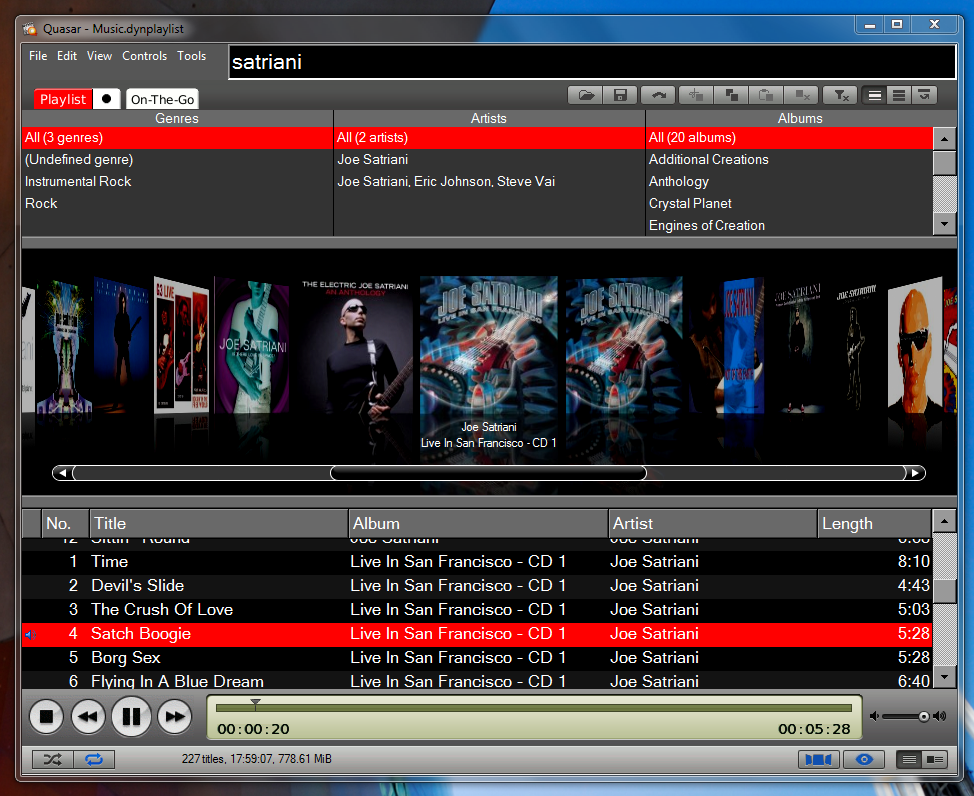
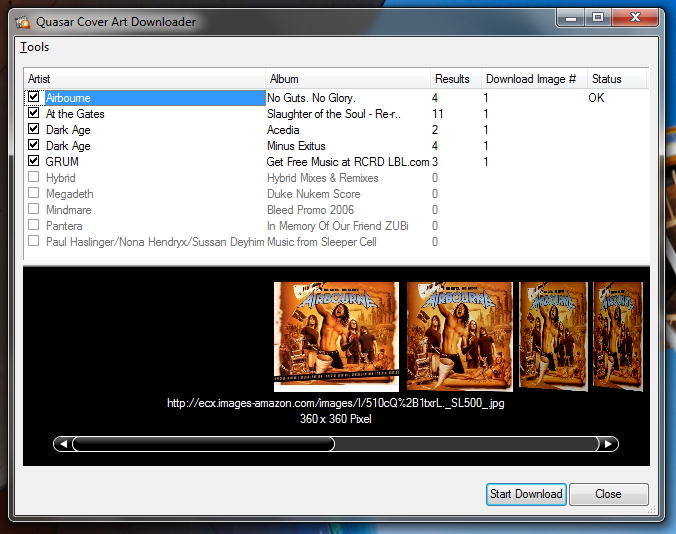
Running on OS X Snow Leopard:
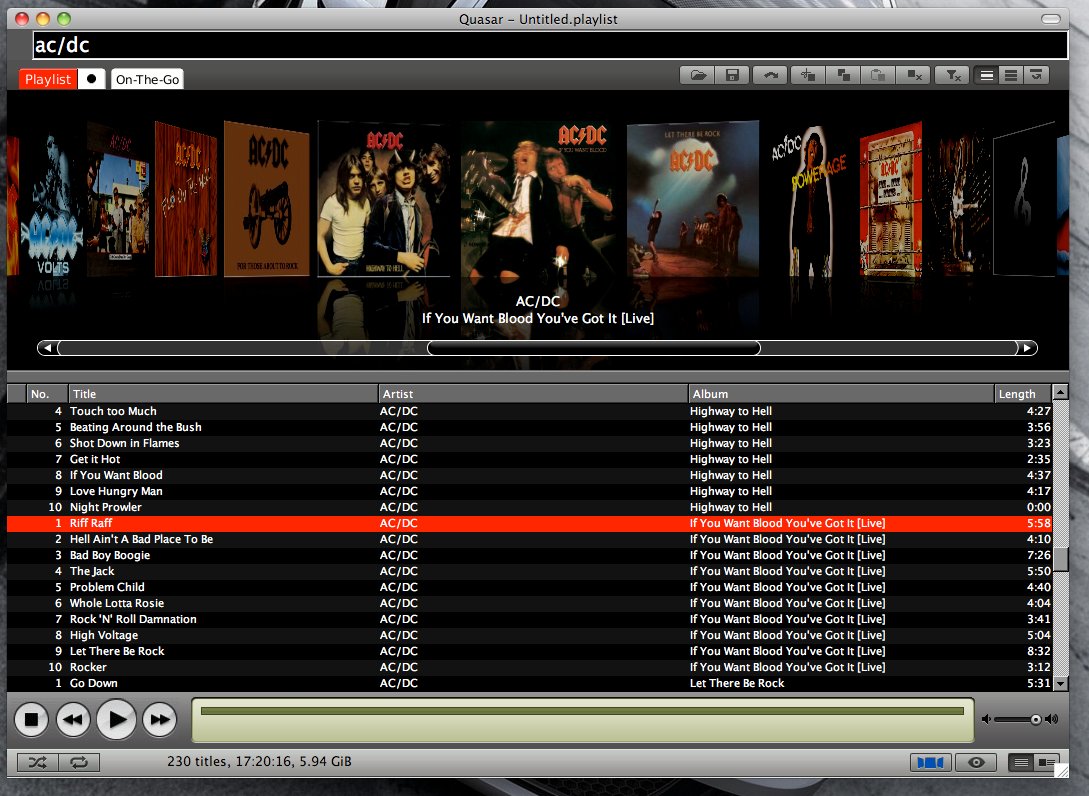
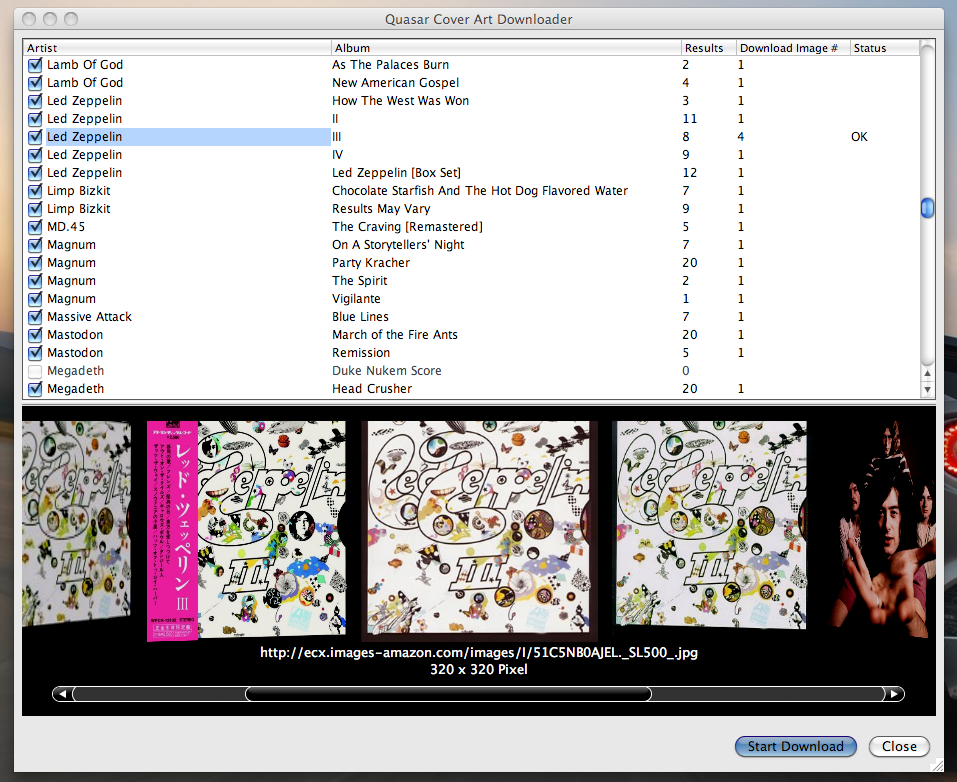
Running on Qtopia:
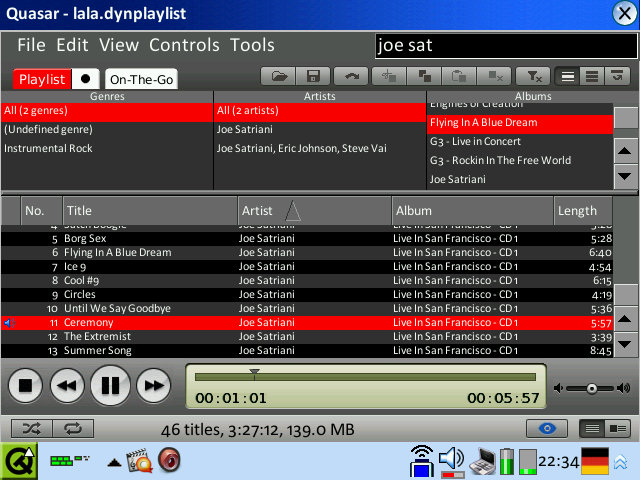

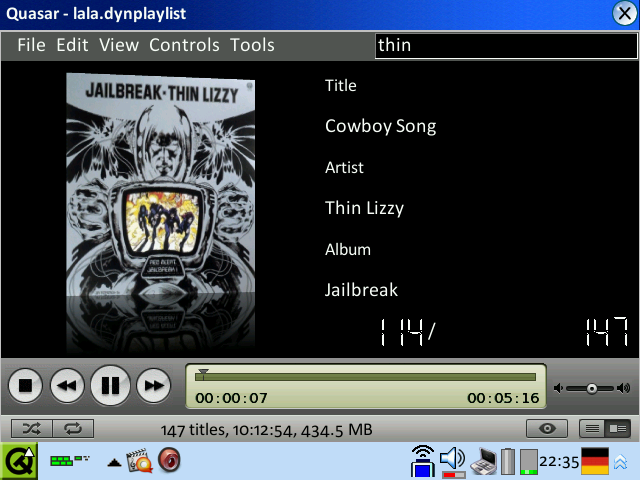


Running on pdaXrom:
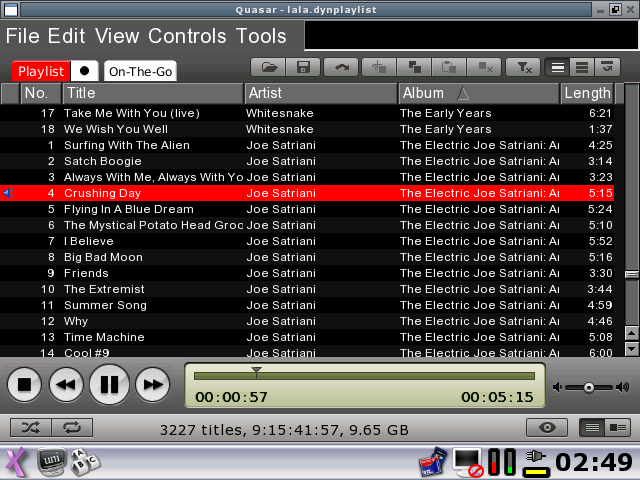

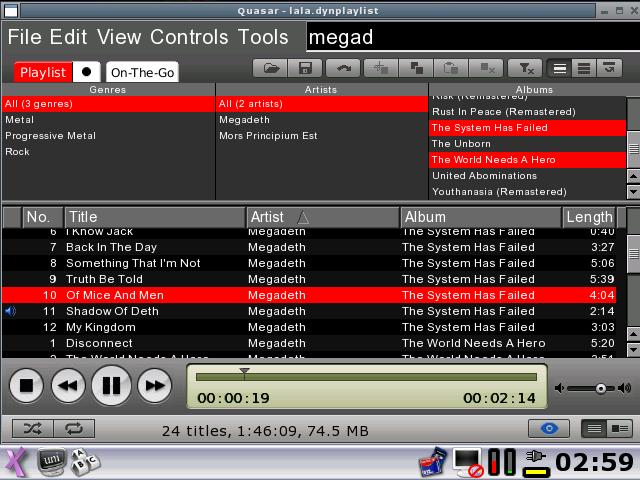

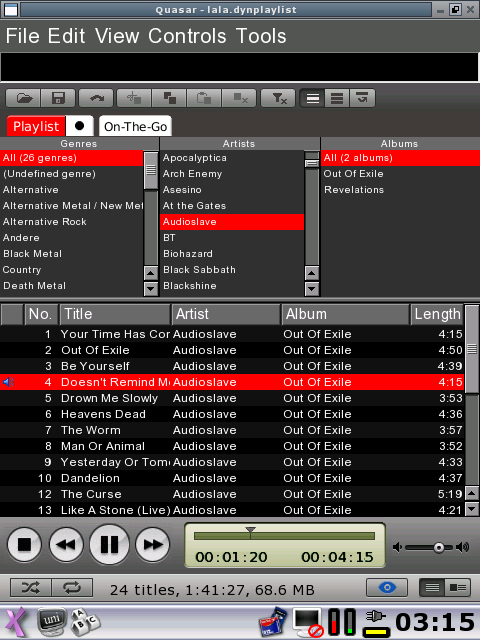
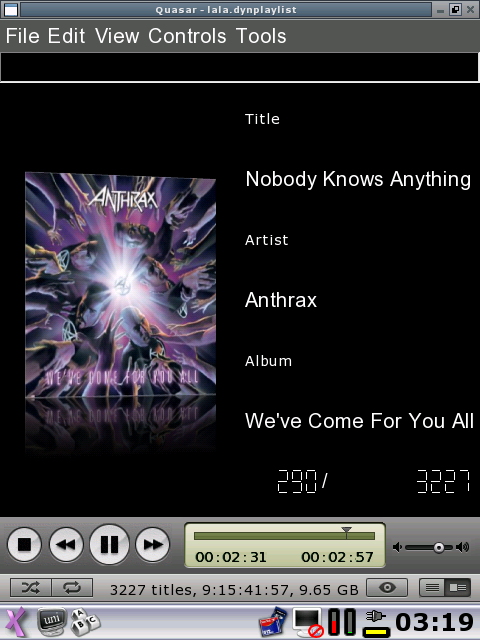
Features
- Generic media player (video and audio) with a strong focus on audio playback
- Tag reading and playback support for MP3, Ogg Vorbis, Ogg FLAC, FLAC, WMA, iTunes AAC, iTunes Apple Lossless
- Fast playlist filtering
- Overview feature
Categorizes the playlist into genre, artist, album and also supports filtering of the playlist - Integrated Cover Art Downloader
- Cover Art Flow album browser
- Supports simple and dynamic playlists:
- Simple playlist: pre-defined list of media files (e.g. m3u playlists)
- Dynamic playlist: a set of directories and single files that the playlist is created from.
Directories can be scanned for files recursively.
Dynamic playlists are especially useful if you often add new files to a SD card for instance. You just tell Quasar to rescan instead of having to add those files manually.
- On-The-Go playlist for temporary playlists (e.g. if you’re in a hurry):
- Copy selected files instantly from your main playlist to the On-The-Go playlist via hotkey or button click.
- There is no library!
You’re not forced into a library paradigm known from most media players on the desktop. Your playlist can be your library, but it can also be everything else. Combine this feature with Dynamic Playlists and you have your library. :) - High-Performance SQLite-based database backend:
- Holds all metadata once the files have been initially scanned
- High performance lookup and filtering
- Location-agnostic: You can freely move your media files around.
Quasar will recognize them without scanning them again.
- Cover Art support:
- Scans the media file for an attached image: MP3/ID3, Ogg (COVERART tag in Xiph Comments), FLAC (currently via ID3v2 or Xiph Comments only), M4A (Cover Art added via iTunes / “covr” MP4 atom)
- Scans for image files in the same directory as the media file.
- Recursively scans for an appropriate image file in a separate directory that contains cover art images.
For maximum flexibility it will match against directory and file names using straightforward heuristics.
- Highly configurable:
- Almost all functionality is accessable via configurable hotkeys (keyboard and remote control)
- File-format-specific MPlayer settings:
New file formats can be added when MPlayer supports them. - Global MPlayer settings
- Fancy GUI:
- Strong support for operation in landscape and portrait display modes
- Support for quickly switching between two predefined skins, e.g. for daylight and night operation in a car environment.
- Supports adjustment of font sizes in three steps, e.g. for better operability and readability in a car enviroment.
Downloads
Quasar Media Player is licensed under the terms of the GNU General Public License (GPL) v2 and the source code is freely available. In my free-time I have spent many hours developing this program, answering mails and fixing bugs. If you like this program, you can donate any amount you wish using PayPal by clicking the appropriate button below. For a comparison just consider what you would have paid for this application in an AppStore.
Your donation will be very much appreciated. It will help to continue support for all platforms and also make sure that future versions stay licensed under the terms of GPL.
| (dollars) | (euros) |
Please show your support by registering as user on our Ohloh and Freshmeat pages. Thanks!
Packages:
Windows: Signed setup executable Windows: Self-contained portable app
OS X: Zipped and signed Application bundle
Qtopia / SharpROM, Cacko: IPK package
X11 Qt3 / pdaXrom beta 3, pdaXii13: IPK package
Compile-Your-Own TM: BZipped source tarball
Attention Sharp Zaurus users!
Prior to installing Quasar on your device please make sure you have a working MPlayer installed.
After installing Quasar please specify the location of the MPlayer binary in the configuration dialog (Tools > Configuration…). This is necessary on pdaXii13, where the mplayer binary is named “mplayer2”.
Quasar will only work with VGA devices, i.e. Sharp Zaurus SL-C7x0 / SL-C860 / SL-C1000 / SL-C3x00 and SL-6000. QVGA devices may be supported in the future – it’s just a matter of adjusting the skin for 320×240.
Additional files for Sharp Zaurus:
Default Keyboard Hotkeys Sheet (PNG)
Default Keyboard Hotkeys Sheet (PDF)
Changes
Version 0.96 / Beta 4 (2010-03-28):
- Cover Art Flow album browser
- Automatic Cover Art Downloader
- Last.fm / Audioscrobbler service support (QScrobbler integrated)
- Enhanced media information dialog
- Introduced support for major desktop operating systems (Windows and OS X)
- Major performance improvements
- Lots of bugs fixed
Version 0.9 / Beta 3 (2007-10-29):
- Several improvements and bugfixes for the video playback
- Switched metadata and tag reading framework to TagLib
- Better support for Unicode encoded metadata
- Faster initial scanning of media files
- Tag reading and playback support for MP3, Ogg Vorbis, Ogg FLAC, FLAC, WMA, iTunes AAC, iTunes Apple Lossless
- Support for reading embedded cover art images from Ogg (COVERART tag in Xiph Comments), FLAC (currently via ID3v2 or Xiph Comments only), M4A (Cover Art added via iTunes / “covr” MP4 atom)
- On Qtopia Quasar will disable suspending the device when closing the lid
- Improved config dialog
- Tons of other minor changes and fixes to bugs reported on Trac
Qtopia / SharpROM, Cacko: IPK package
X11 Qt3 / pdaXrom beta 3, pdaXii13: IPK package
BZipped source tarball
Version 0.85 / Beta 2 (2007-10-06):
- Removed registration as Remote Control Master via QCop since it caused crashing of Qtopia on most systems
- Detection of machine type enabled on non-Qtopia systems
- Some configuration options removed on non-Qtopia systems as they are not supported
Qtopia / SharpROM, Cacko: IPK package
X11 Qt3 / pdaXrom beta 3, pdaXii13: IPK package
BZipped source tarball
Version 0.81 / Beta 1.1 (2007-10-03):
- Added support for embedded cover art in MP3 files.
Qtopia / SharpROM, Cacko: IPK package
X11 Qt3 / pdaXrom beta 3, pdaXii13: IPK package
BZipped source tarball
Version 0.8 / Beta 1 (2007-10-01):
- First public release.
Qtopia / SharpROM, Cacko: IPK package
X11 Qt3 / pdaXrom beta 3, pdaXii13: IPK package
BZipped source tarball
Support
Bugs and Feature Requests
If you think you’ve found a bug or if you are missing an important feature and would like to report it, please create a ticket on the development web site. This is the place where I keep track of everything. Please don’t post bug reports into the comments below. Thanks!
FAQ
Why do you offer two versions of Quasar Media Player for Windows?
It is quite simple:
One version uses the default way of installing applications on Windows, via an installer application. Quasar is setup to save your settings in your user directory. So this setup works in a multi-user environment.
In the other version Quasar Media Player is configured to work as self-contained application. This means, that you can copy the program directory anywhere. All your settings will be saved in that very directory. In this mode directory paths to playlists and media files saved on the same drive will also be made relative. This is a requirement for portable apps on a flash drive, where drive letters may change.
How do I install the IPK package?
Use you favorite package manager to install the IPK-file for your platform.
You can also install manually via the console:
sudo ipkg install quasar_*.ipk
Please make sure to also install MPlayer as it is required by Quasar Media Player.
The volume control doesn’t work on pdaXrom? What gives?
This is a known problem related to the way Quasar is controlling the volume by accessing /dev/mixer.
The default volume control in the Matchbox taskbar / controlbar completely locks /dev/mixer and thus has exclusive access.
In order to control the volume in Quasar (and XMMS too!), please remove the volume control applet from the bar.
Developers
Trac
If you want to keep track of the current development status, here is the right place:
http://trac.katastrophos.net/quasar
Nightly Builds
Nightly builds containing the latest changes are available here:
http://katastrophos.net/downloads/quasar/nightly
SVN repository
The SVN repository is available here, in case you want to grab the latest sources:
https://svn.katastrophos.net/quasar
svn co https://svn.katastrophos.net/quasar/trunk
will get you the latest development version.
The SSL certificate is for secure.customerinterface.de. Don’t worry, it’s my server.
If you want to participate in the development, please contact me directly. See here for details.
Please do not post bug reports into the comments. Instead use the project’s Trac web site to create a ticket. That way I can keep track of everything. Thanks a lot!
hoho, I did not read the blog carefully before.But I realy think Quasar was a native player which not require other player (MPlayer or VLC). Anyway, Thanks a lot for the work.
btw: Did you want write a player use MPlayer or VLC ‘s code ?
Tighter integration of MPlayer, yes. But I won’t add custom player code into Quasar any time soon – although I have been thinking about it before. Perhaps for common formats like MP3 and Ogg Vorbis… We’ll see. For everything else MPlayer is sufficient.
Is the pdaxrom v0.85 newer than the version you had for testing that was still labelled 0.80?
Either way the 0.80 that showed the imbedded album art still works great! No Problems.
Dale, sorry for the confusion. I somehow missed to raise the version number in the about dialog to 0.81. 0.85 (Beta 2) is newer than the previous two versions.
I’ll probably release a new version next weekend. Stay tuned! :)
very good work, the first new high quality app I’ve seen for QT in a LONG time. Make’s the old Cacko “kino2” application seem quite basic.
Finaly somebody made it.
Its really great, much better than the original player.
Its a great achievement for the zarus.
keep on workin.
Hi, is Quasar also running on Angstrom? Now, that I have the player I always wanted to have on my Cacko installation, I would not like to miss it, when trying out Angstrom on my Akita.
Quasar is really one of the best applications for the Zaurus! Thanks for the nice work!
I haven’t tested Quasar on Angstrom, but ofels has a recipe ready. Please check out this thread on OESF:
http://www.oesf.org/forum/index.php?showtopic=24839&view=findpost&p=169110
Also, if you’ve got Qt3 and a working GCC running on Angstrom, you can also compile Quasar yourself, if you’ve got experience with compiling apps.
Thank you! Thank you!
I quickly discovered that kino2 has a limit of 33 files per playlist. When I went looking for why, I found Quasar. It immediately sucked in a 128-file playlist. Keep up the great work!
Great work, I’ve been trying to find a media player to put on my old Zaurus so i can give it to my wife, very functional, looks great, and is easy to use. Thanks for releaseing the source :).
Awesome works!
To our regret, I have not used Zaurus any longer. But, I was really surprised.
It says again. Awesome works!!!
I love this thing !!
It rocks…. seems better than kino2 from the playing I have done.
I think I have a couple of things I would like to have it do also though.
Thank you.
This is an excellent media player for Zaurus! Thanks for your great work.
Hi,
Firstly I’d like to say that this software is excellent and along with the fixes you’ve made to the audio is the answer to some of the issues I’ve been having with my Zaurus.
You should get yourself a Paypal account because I for one would donate.
I would like to make a feature request
– Random Album
I know it sounds silly but a lot of music I listen to are albums which are designed to be listed to from start to finish so I’d love the ability to randomly select an album from a dynamic playlist.
Thanks,
Stephen
I’d be really grateful if you could make this accessible to qvga zaurus users!
@JB and @slewis69au, I’ve added your requests to my Trac.
And for everybody else that feels the desire to donate something I’ve added a link to the site’s PayPal account above.
Would it be easy to make a mac os x binary?
I tried (using fink to install qt3 libs), but without success … lots of errors, starting with
/usr/include/string.h:81: error: ‘size_t’ has not been declared
Thanks for any help
Actually I am developing Quasar on OS X using the Qt3 libs of Fink. However, I haven’t updated my Fink installation in quite a while, so perhaps some things have changed. Also I got Quasar running on qt3-mac once, so there is no need to use X11, but that is no longer working.
Right now I am finishing features for the next release so I don’t have much time to try anything new.
Do you have the Qt4 libs installed? Perhaps it’s colliding with the Qt3 stuff.
export QTDIR=”/sw/lib/qt3″
What does
ls -la /sw/bin/qmake /sw/bin/moc
print?
You can send me the complete log of the compile if you like. That way I can check it out. Just check “About” above for my contact details. Thanks.
Thank you very much for your kind reply.
I was trying with qt3-mac, that’s probably why it didn’t work.
I got it compiled today (with qt3, qt3-shlibs, and ccache from fink).
Best regards
As you are working on the next release, would you mind to post a short message on http://www.linuxontour.de/ once you are done with the new version?
@elhennig: Sure, will do.
Here is a little update:
The current version in the SVN is pretty stable already. I was able to reduce the memory usage of Quasar quite dramatically. Also the software should be able to handle 4000 songs in a playlist on a Zaurus with decent performance. This is important to me since I actually have that many files in my playlist and as a music maniac I rely on the software…
Other changes:
– Added Cover Art Flow feature akin to the feature found in i*Tunes and the i*Phone;
– Integrated lightweight cover download manager, which uses external opensource webservice (TBA) to query for cover art image files;
– Improved touchscreen-friendly play info screen;
– Improved performance and memory management;
No binaries available yet and I still have to finish the play info screen and fix some bugs in the Windows port, but all in all it’s already stable.
Thank you so much for this. It does everything I want, disables suspend when shut, integrates with volume control applet. Amazing. Have you considered listing this app on elsix?
Invitation of writing an introduction page on Openmoko wiki
HI:
I am the wiki editor of Openmoko (wiki.openmoko.org .)
I would like to invite you to write an introduction page for Quasar Media Player.
This page will help people easily to find all information of Quasar.
And share their ideas with you via wiki page.
Your help will be sincerely appreciated.
Best Regards
Brenda
Openmoko Wiki editor
Hi!
I ported this nice and cool media player for NokiaN810.
(http://talk.maemo.org/showthread.php?p=313857)
I had been using it on Zaurus .
and now I can use it on N810.
Thank you for your good job (I think it is a masterpiece).
We now have nightly builds for all platforms over here:
http://www.katastrophos.net/downloads/quasar/nightly
The Windows and OS X binaries are digitally signed by me.
Hi, does your player support QVGA resolutions now?
I’ll be very grateful to you if you could add support to it so I could try porting it to my Motorola phone ^_^
Will you still provide nightly builds for Sharp-ROM or did you stop building for that platform?
@elhennig: Don’t worry, I’ll still support the platform and will provide nightly builds for it. Right now, the Debian VM that created most of the nightly builds is on a machine that no longer is up 24/7. I will have to move that VM onto the brand new home server here and things should start rolling again. Also, I started restructuring important parts of the source code to get rid of some nasty problems, so some of the snapshots probably won’t work correctly for some time. I’ll keep you updated.
@Pantamorph: No QVGA support yet. However, it should be possible to resize the current skin pretty easily. Just some tinkering in the skin ini file and some GIMP magic. I can’t promise, but perhaps I have something ready for the next release.
The new version 0.96 (beta 4) is available now. Enjoy.
Wow, thanks!
Does it have QVGA resolution support now? :)
Is there a way to rotate video display from portrait to landscape?
Did anyone succesfully compile quasar onthe sharp netwalker?
The Sharp Netwalker runs ARM Ubuntu 9.04 AFAIK. It should be easy to compile Quasar for it. Just do a sudo apt-get install qt3-dev-tools-compat which should install all necessary dependencies. Then follow the instructions in the README file. In Beta 4 is a bug that causes a crash on the start of the app after the config file was created. This is caused by a bug in the way the window positions are restored. The bug and a workaround is described here: http://trac.katastrophos.net/quasar/ticket/42
Hey there! I use Quasar port on Nokia n810 (Maemo Diablo OS) and I wounder where can I find extra skins for Quasar?
Thank you!
Superb Music Player… I use a Nokia C7, bt whenever i play a song, most of the album covers do no show up, even if i have downloaded them… Any solution ?
How do I refresh music library with Quasar player?
Hello. Is there still someone reading this? Thanks for this great software which I found much too late (march 2015). Question: Under Windows 8 is there a way to scroll to all the coverflow covers via keyboard? Left/right arrows for moving the covers, return for choosing one folder and playing the first song, up/down arrows for moving in the mp3-list of a folder and maybe escape for going back to coverflow? Thanks for reading. Stefan