I recently decided to upgrade my Fujitsu U810 with a solid state drive.
Unfortunately, since the U810 only offers a PATA interface the options are quite limited to just a few high-priced (compared to SATA) 1.8″ SSD models by either Samsung, Sandisk (SanDisk SSD UATA 5000, discontinued) or MTRON (MSD-PATA3018-032-ZIF2 et al.).
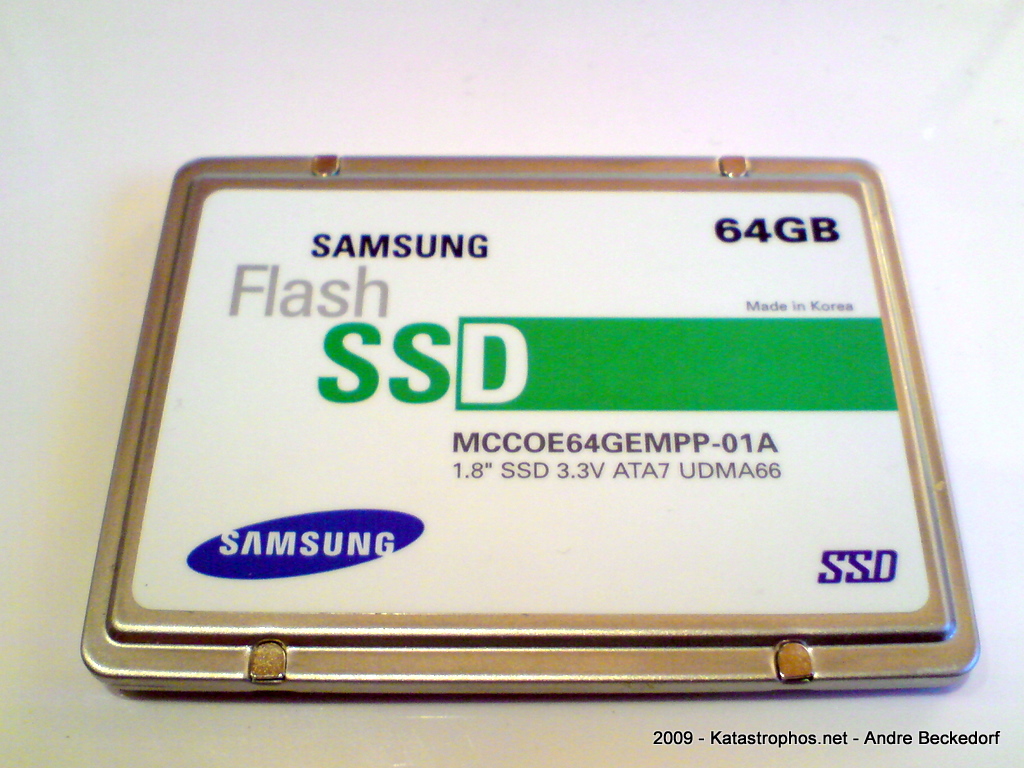
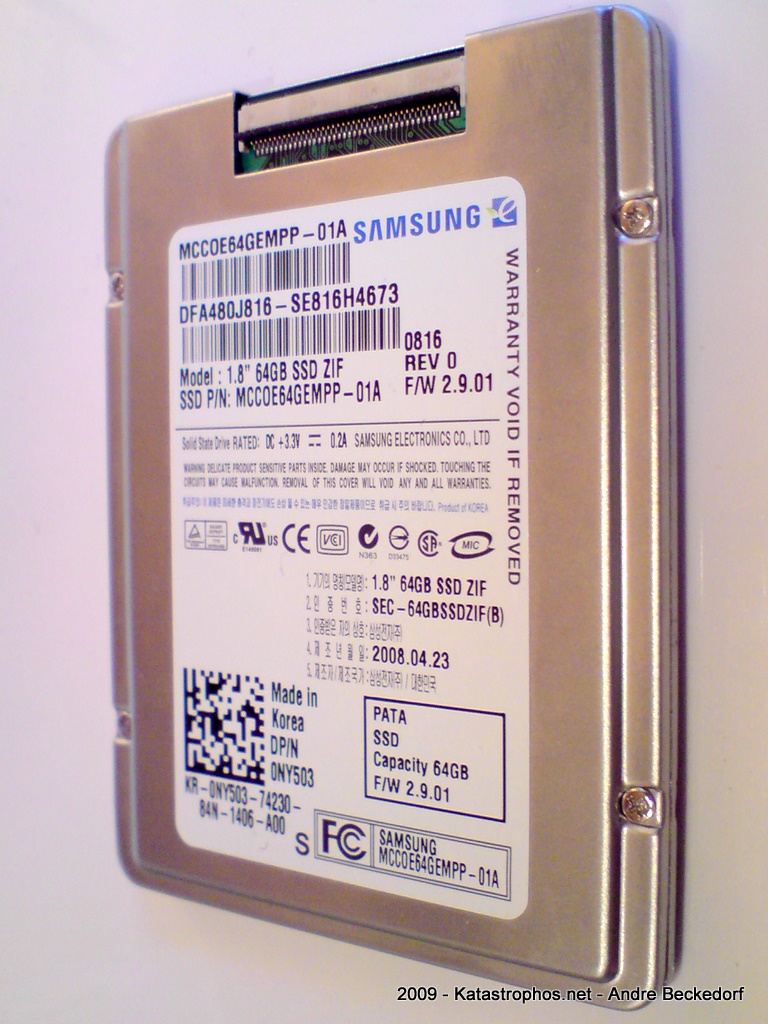
I went for a 64 GB SLC drive manufactured by Samsung. The exact model name is MCCOE64GEMPP. The same 1.8″ PATA-drive is available as bulk version without the metal enclosure that is protecting the PCB: MCCOE64GQMPQ
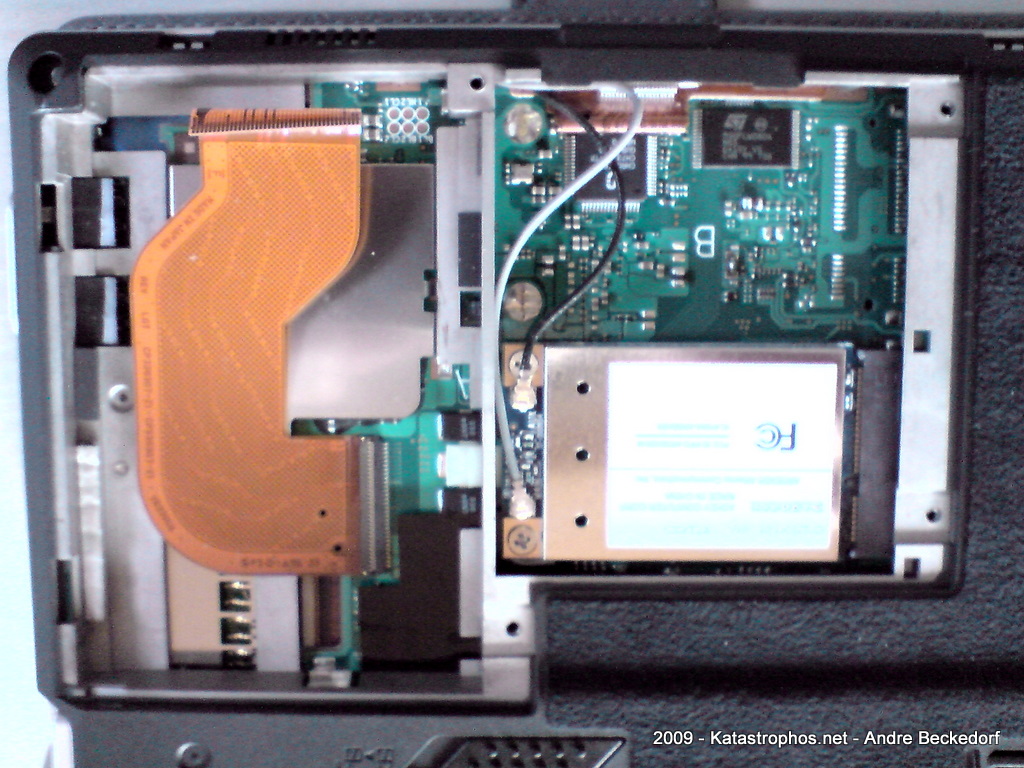
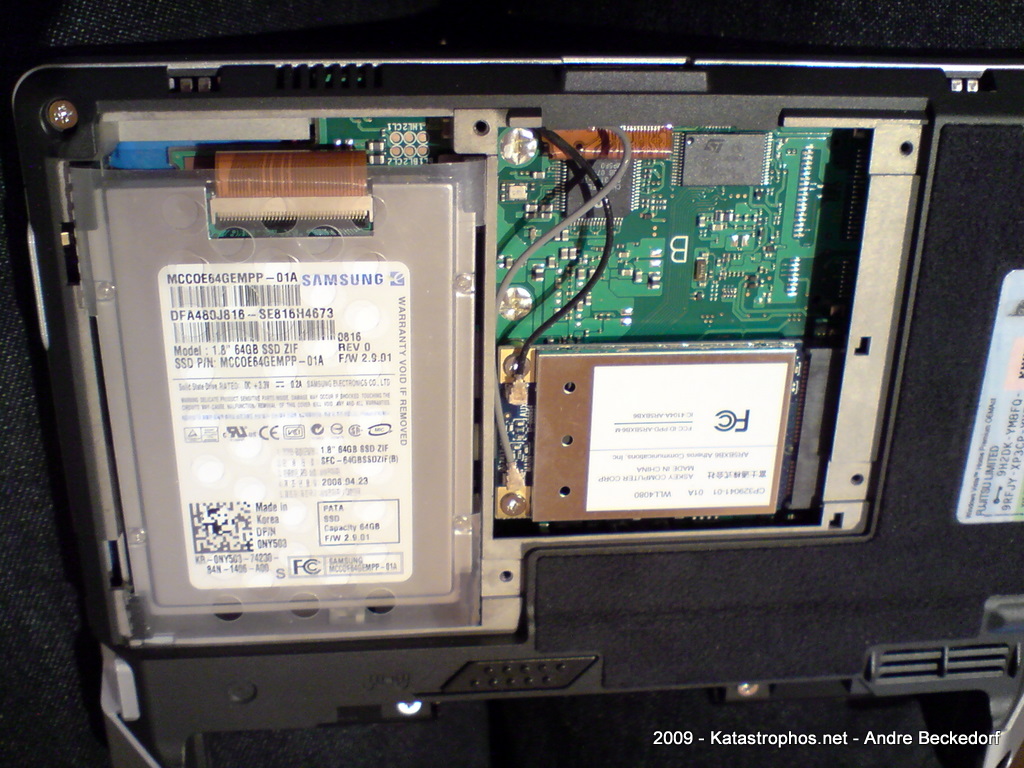
Here are some photos of the drive itself and how to install it in the U810. Note, the drive is 5 mm high and will fit into the U810 without any modifications.
Also keep in mind that the U1010 has a different connector (50-pin IDE instead of ZIF), so these ZIF-drives will not work here. However, there are reports on UMPC Portal that suggest that it is possible to get a replacement connector flat band cable for the U810 that is the 50pin IDE cable, so I guess it is also possible the other way around for the U1010.
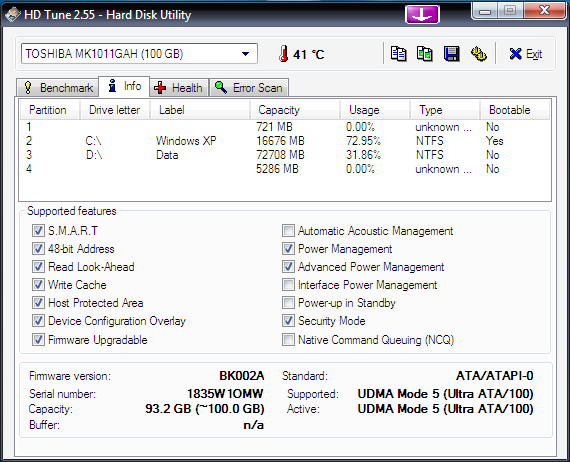
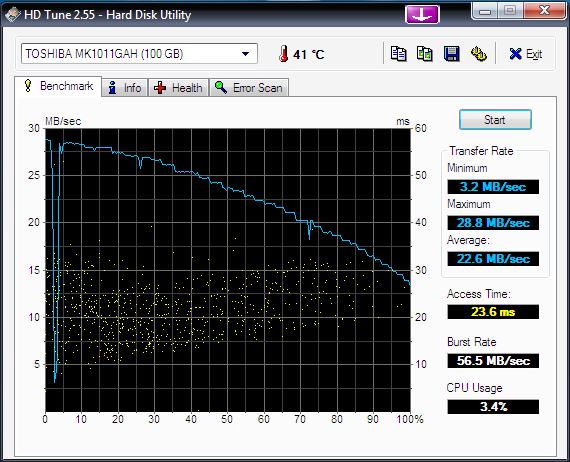
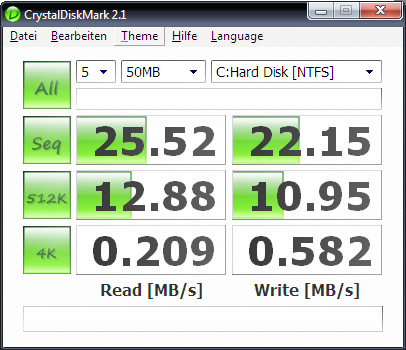
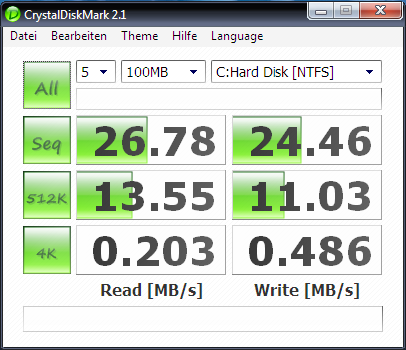
Here are the obligatory benchmarks comparing the new SSD against the old Toshiba MK1011GAH 100 GB hard drive that was previously installed in the U810:
Toshiba MK1011GAH:

Samsung MCCOE64GEMPP:
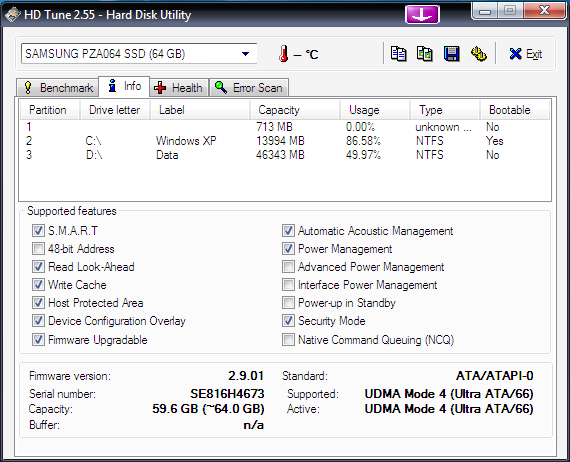
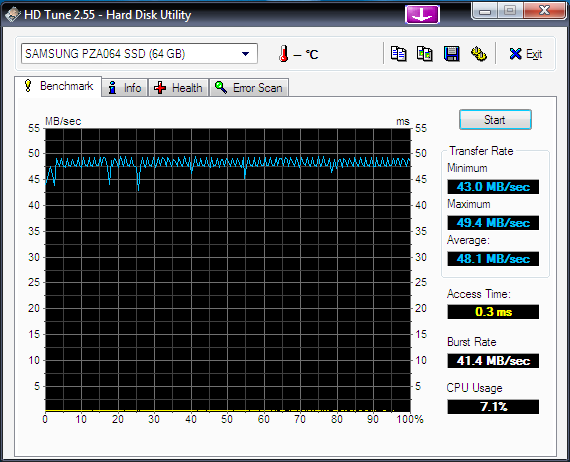
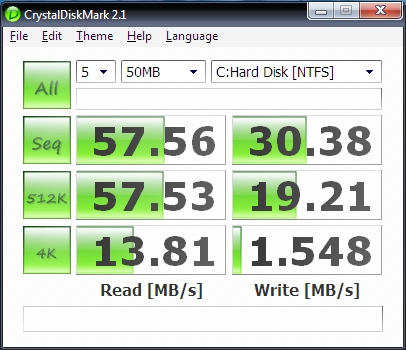
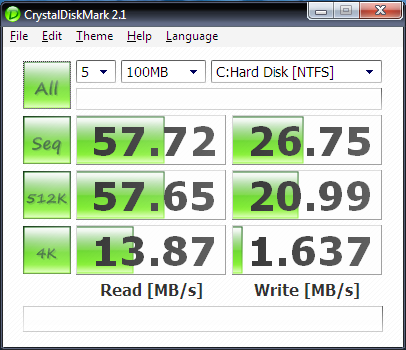

Needless to say that applications cold-launch a lot faster with the SSD. (Firefox with 12 add-ons: ~10 s before -> ~6 s after, Chrome: ~3 s before, ~1 s after, Thunderbird: ~8 s before -> ~3 s after).
Startup time was reduced quite a bit but not dramatically. However, returning from sleep and hibernate saw a huge improvement. Unfortunately I can not provide values of the old drive, so no comparison.
I did not notice longer battery run times. However, the whole system runs a lot cooler because the SSD naturally does not produce heat as extensive as the HDD did.
I am satisfied with this upgrade – especially since it has boosted compile-times when working with CodeGear RAD Studio and Delphi – due to the great performance when accessing, reading and writing small files. Your mileage may vary.
Hey there! Thanks for the post. Very useful for those – like me – evaluating this device. Quick question: have you considered install other (bigger) HDD’s instead of the SSD you choose? And… this SSD one is pricey, isn’t it? I found it starting at $500 (I’m looking for U810 for about the same price…).
Yes, before upgrading to the SSD I replaced the original 40 GB HDD with a 100 GB Toshiba HDD (see above). This drive does only fit into the U810 after a few modifications, since it is too high (8 mm versus 5 mm).
Performance, especially access times for 1.8″ HDDs are generally bad. These drives are designed mostly for portable media players like the iPod where the requirements are different from those of modern UMPCs.
Also, I intend to use my U810 in my car where vibrations might cause damage to a HDD in long term. SSD is definitely more sturdy and gives peace of mind.
I bought my Samsung SSD on eBay and got a good deal. The MTRON drives are cheaper. However, I’m not sure if they work in the U810.
Is it possible to load the OS and run the computer from a Compact Flash, SD or SD HC card?
Hi there,
…late, but this is exactly what I needed…
@Chad:
Not that I know of. You might be able to get some results with a boot loader such as Grub that is installed on the main HDD and redirects to the boot process to the Compact Flash slot (which is _SLOW_) or the SD Card. In either case the BIOS does not provide the necessary INT 13 support to boot directly of the Compact Flash or SD Card slots.
Another option is getting one of those CF to ZIF converter/adapter boards. Get one of those cheap and fast CF cards and replace the HDD with it using these adapter boards.
someone (someone smarter than me) needs to hack this mater so it can take more memory because right now it is a pos