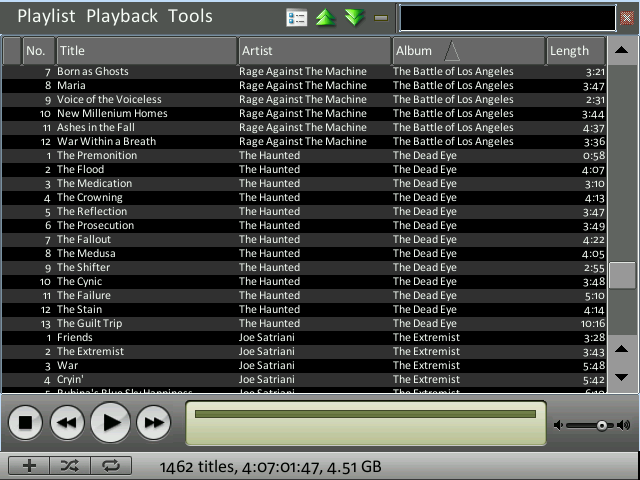
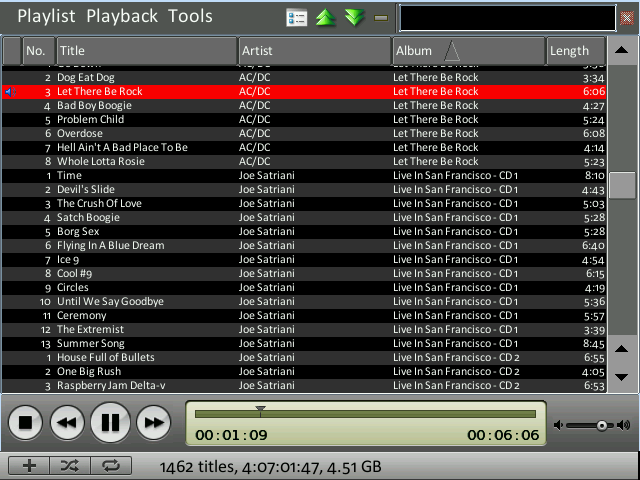
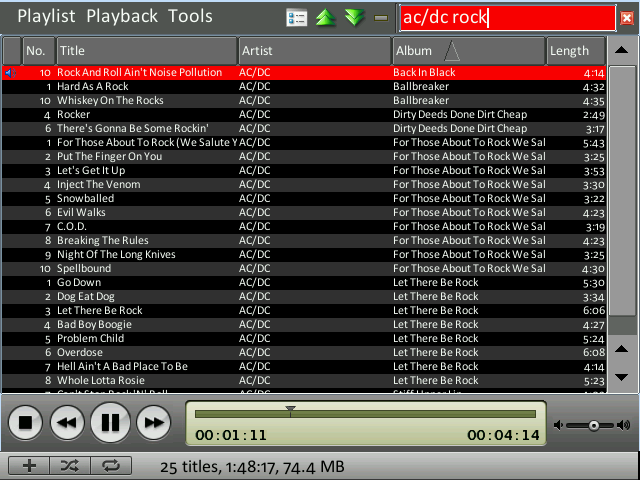
“Yet Another Zaurus Media Player”… done differently . (Phase 1: Teasing)

{YAZMPDD} YAZMPDD - Work In Progress Screenshot 1: Whole library loaded. Contrast mode, perfect for car usage.{YAZMPDD} YAZMPDD - Work In Progress Screenshot 2: Playing a file...{YAZMPDD} YAZMPDD - Work In Progress Screenshot 3: Library view filtered...

Tell me what you think. I won’t comment on anything though. This is work in progress – it’s not finished. I won’t publish any additional features besides what you can read below.

Here is the information I can give right now:
Yes, this is derived from ZPlayer, however, the core is different. Right now, please don’t ask any question why I’m not contributing to Kino or ZPlayer. This is a whole different thing here and I’ll comment once I release.

Does it handle large amounts of music? YES.
Are you serious about the *Tunes look? YES.
Is that fullscreen? Yes.
What’s the name? No title yet. If you have a good one, don’t hesitate to mail me.

In the meantime wait for more information and the next phase… :)

Installing OS X 10.4 Tiger (PowerPC) from a Firewire harddrive

Last weekend I had the pleasure (!) to install Tiger on an ancient PowerMac that doesn’t feature any DVD-ROM drive. I don’t happen to have the special CD-version of 10.4 and trying to boot from an external DVD drive somehow failed. However, this Mac already had Firewire, so here is a little hint on how to install Tiger using a spare Firewire drive:

First off, you’ll need psync. I’ve tried Carbon Copy Cloner, but for some reason that didn’t work.
So, if you have Fink installed, do this:

$ fink install psync

Format the Firewire drive with HFS Extended. You don’t need Journaling, so please disable it.
Now, assuming you’re Tiger Install DVD is mounted at /Volumes/Mac OS X Install DVD and your formatted volume is mounted at /Volumes/OSX, type this into your Terminal to clone the content of the DVD over to the harddrive.

$ sudo psync -d "/Volumes/Mac OS X Install DVD/" /Volumes/OSX

Finally make the whole copy bootable by blessing it:

$ sudo bless --folder "/Volumes/OSX/System/Library/CoreServices" --bootinfo

Now, you may unmount and install. Fin .