Aug 4 2009
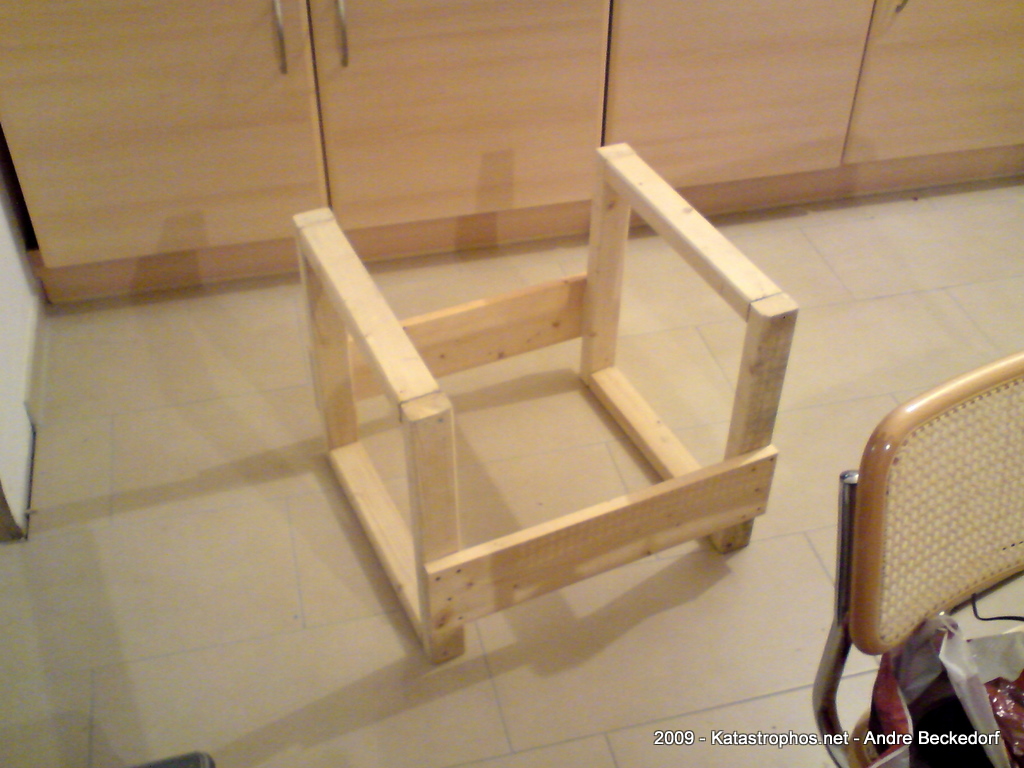
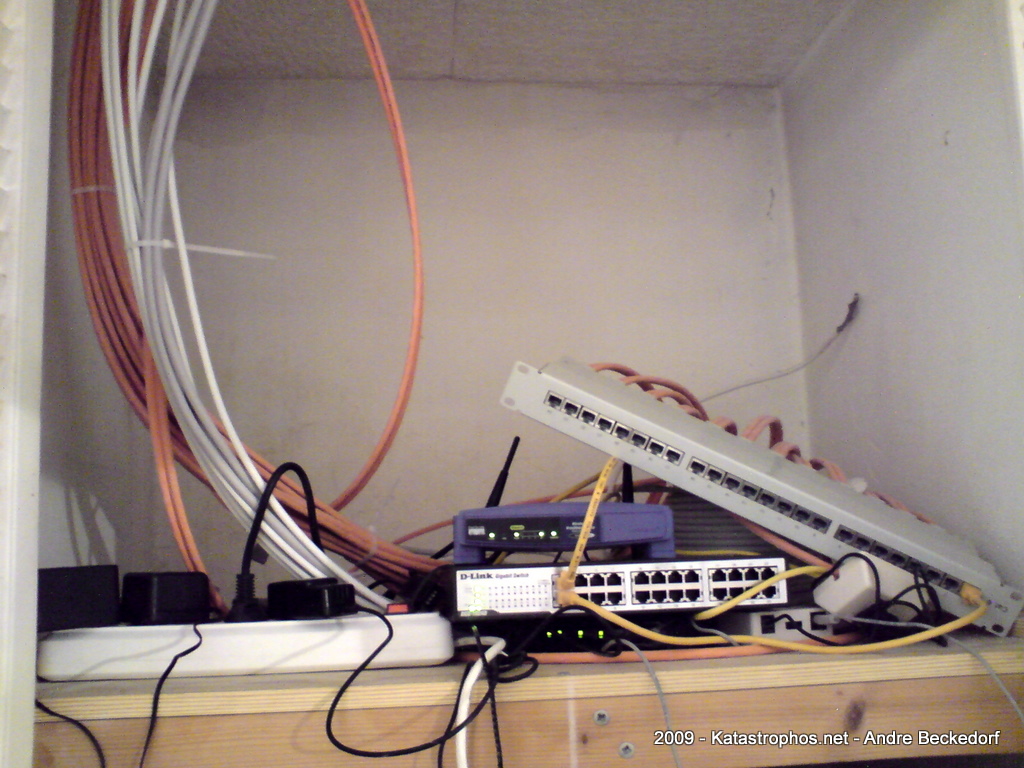
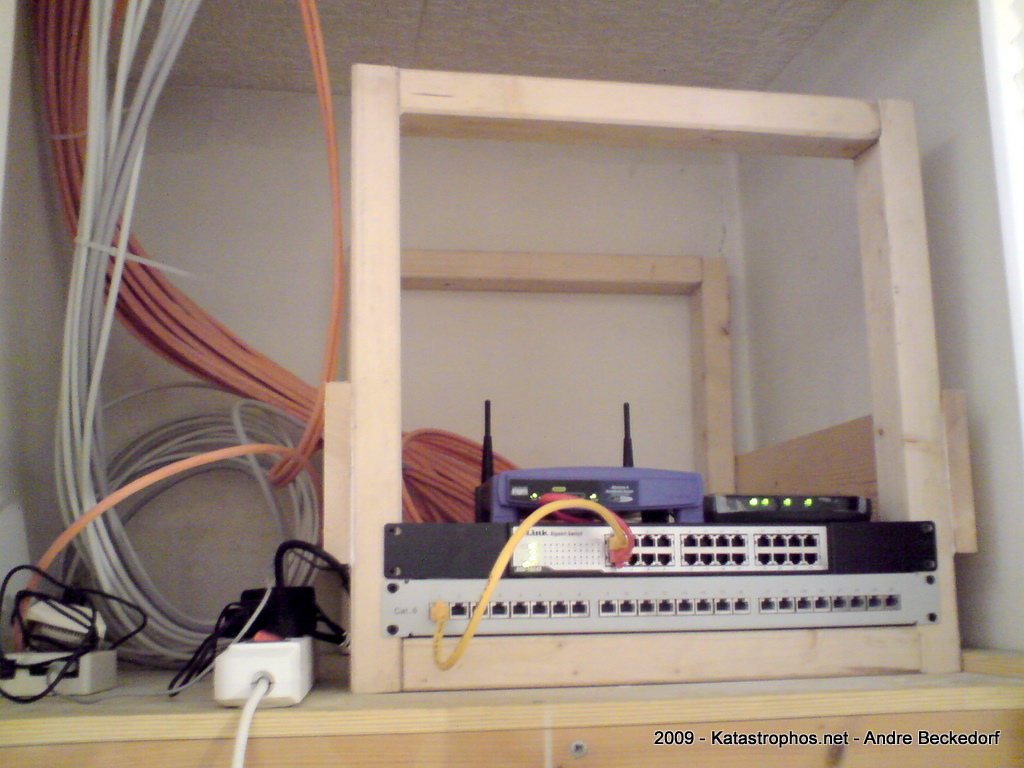
Why buy an expensive 19″ rack when you can build it yourself for 8 Euro and a bit of work?
There is no magic here. The ingredients are really simple actually: A few pieces of wood, screws and glue.
The construction is rigid. No angles are required due to self-stability of the quadratic frames. Just make sure the inner length of each edge is exactly 19″ (48.26 cm). Glue and screw the pieces together and that’s it.
1 comment | tags: Hack, Random, Upgrade
Jul 31 2009
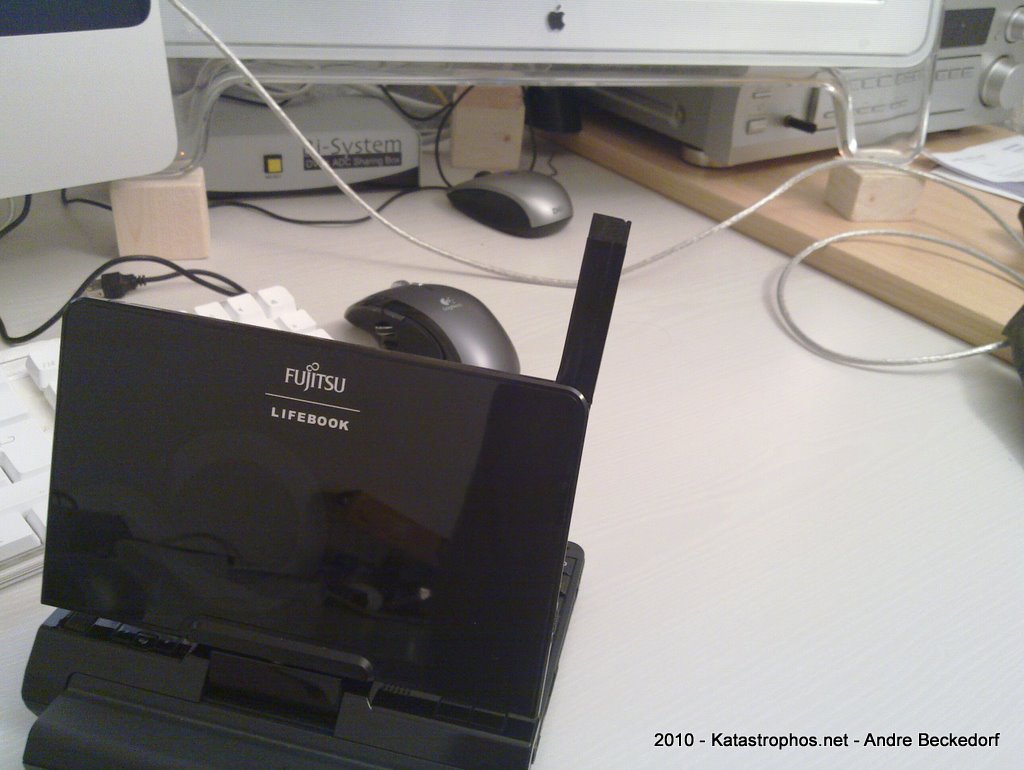
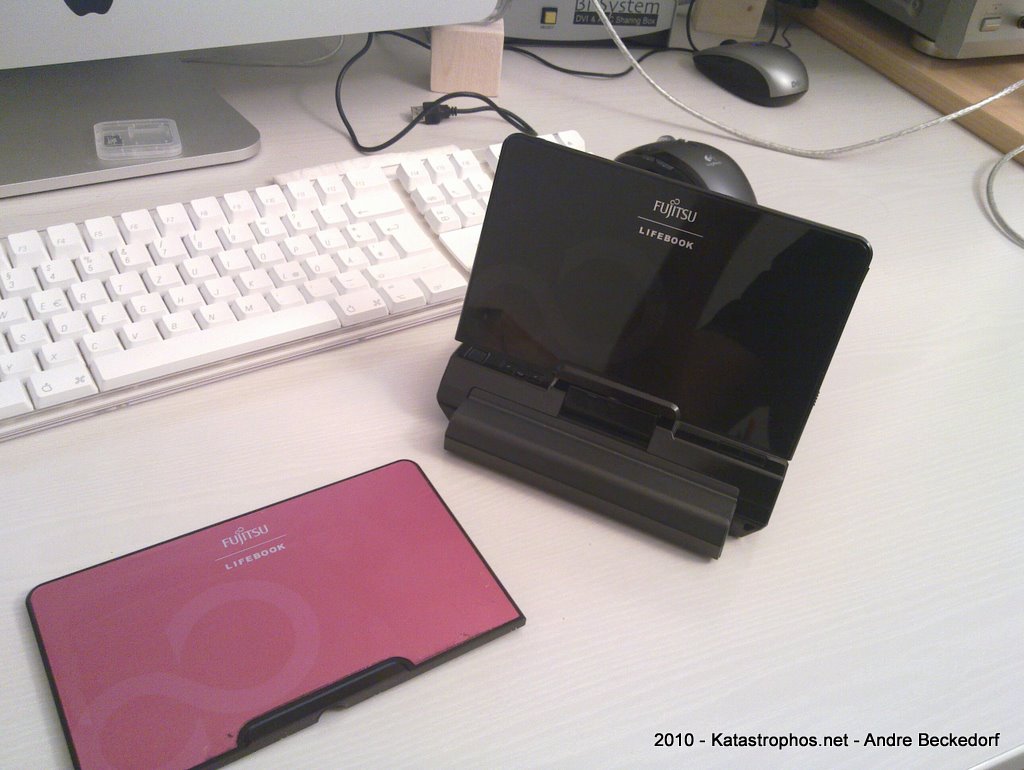
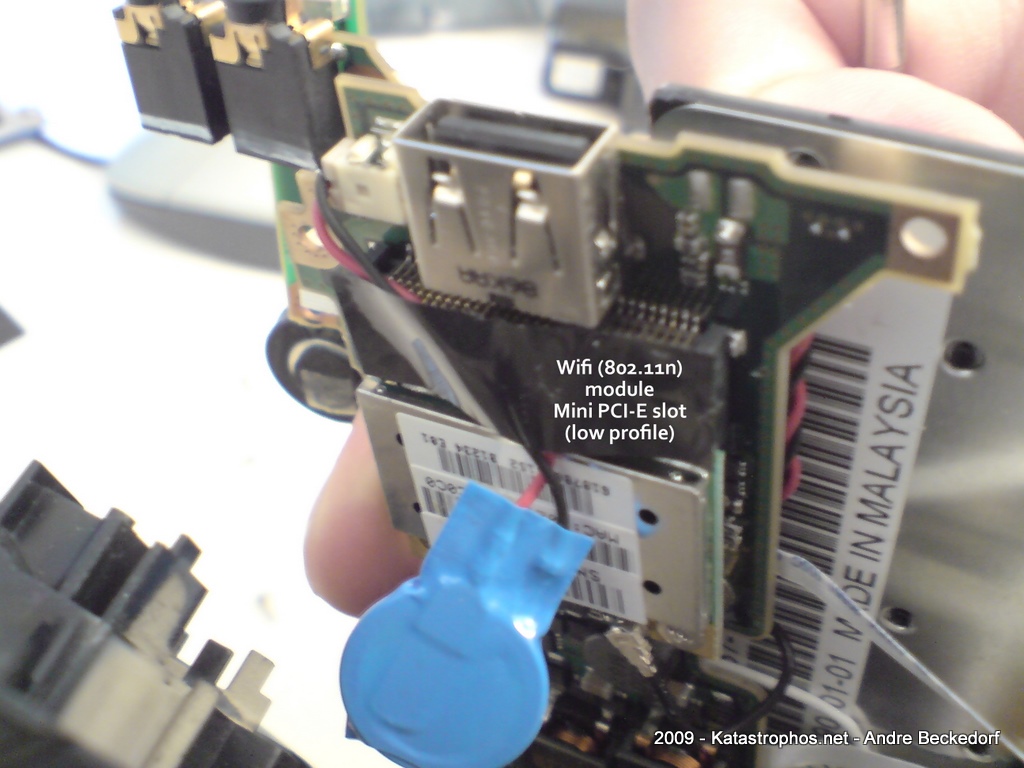
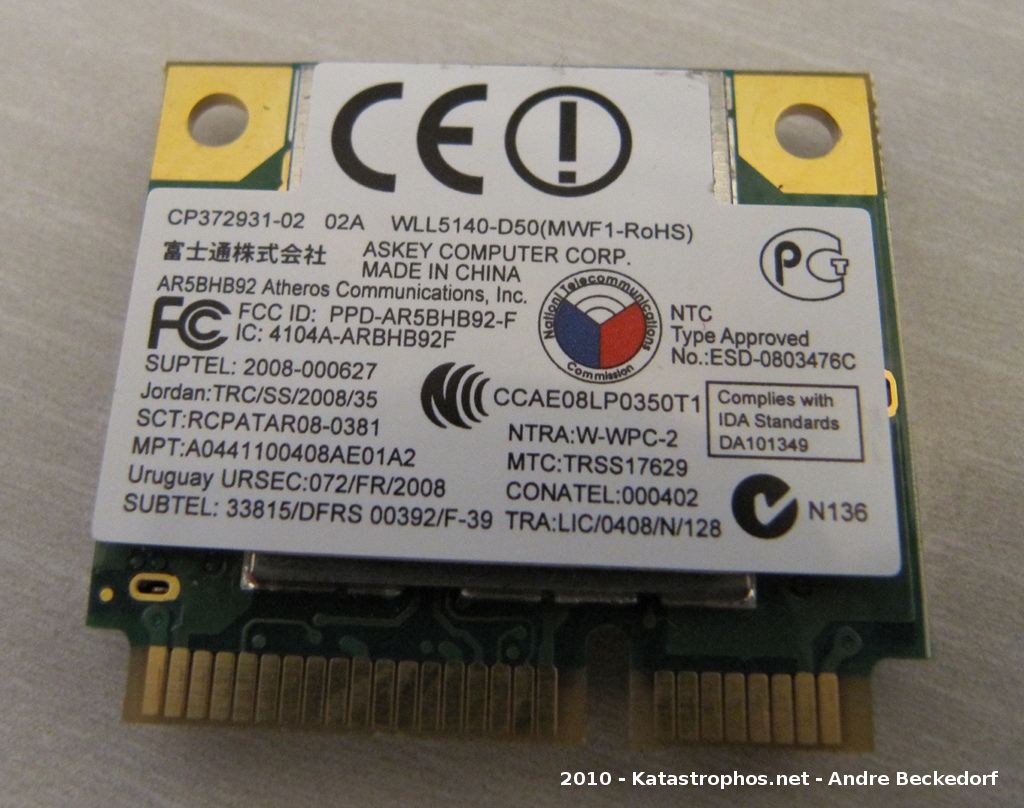
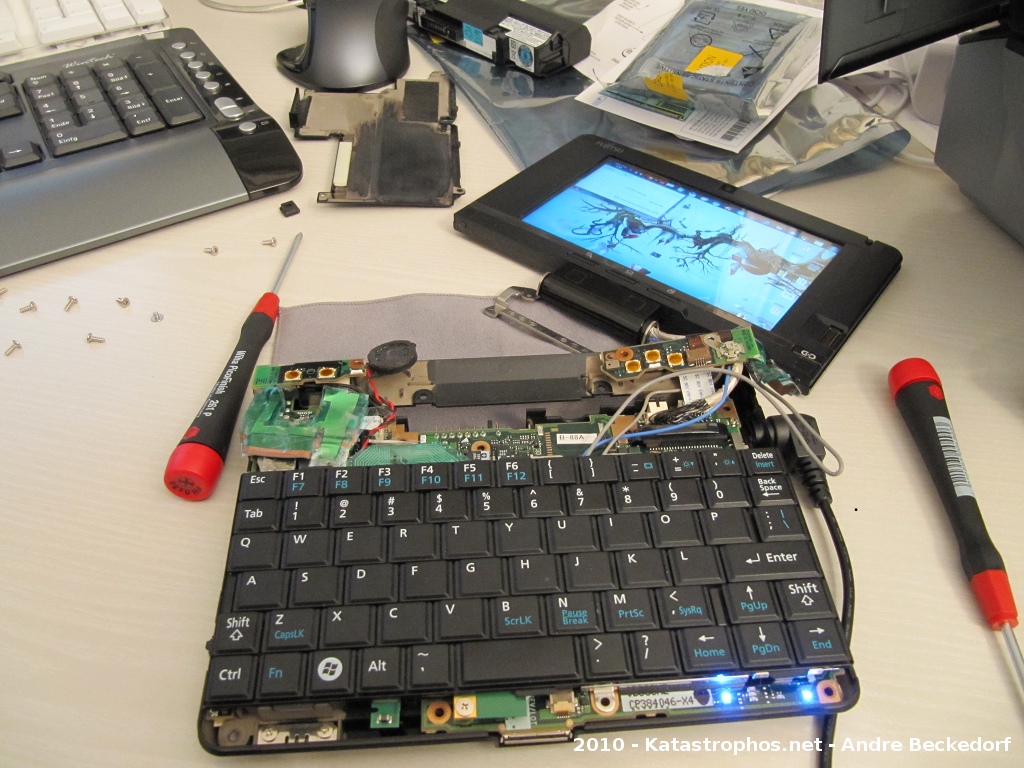
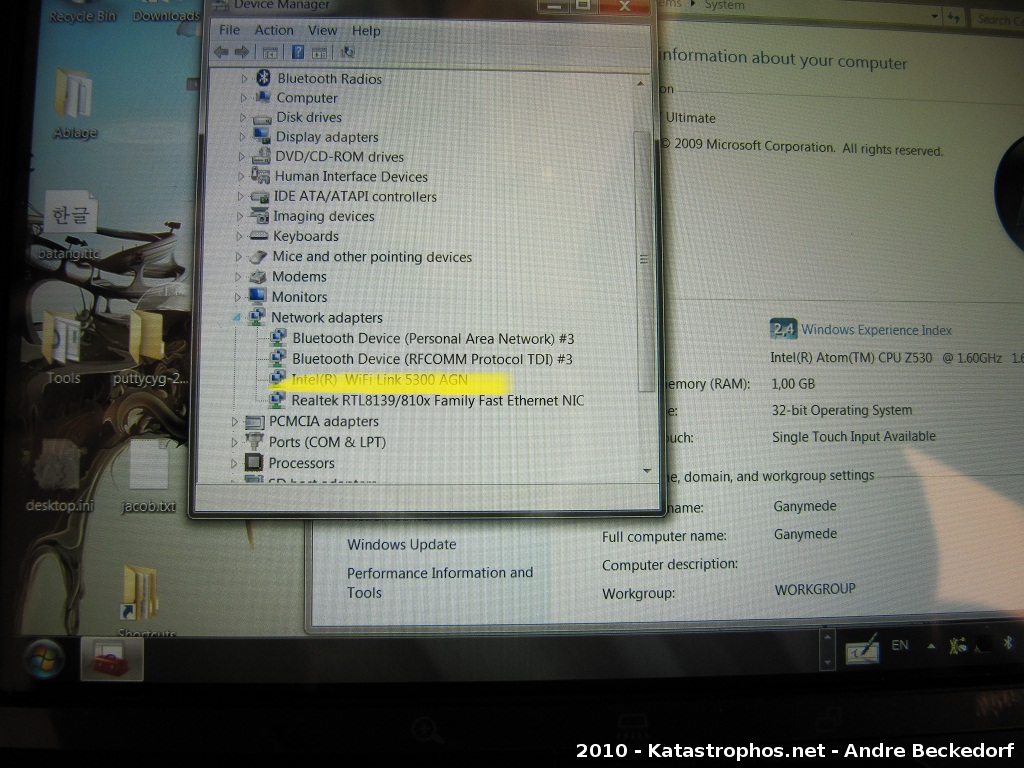
So, I replaced my U810 with the newer U2010 model a few weeks back. Contrary to the U810 the U2010 has an empty and functional Mini PCI-E slot. I am using the O2 Internet-Pack L plan here in Germany a lot and tethered my Sony Ericsson K850 with the U810 before, which was quite a problem since this setup used to drain the batteries of my mobile phone quite fast due to UMTS/HSDPA + Bluetooth connectivity. I figured an internal solution would work better in my case. :)
The Novatel Expedite EU850D Mini PCI-E card seems like a good fit since it already includes a SIM card slot on board and is readily available via several retailers.
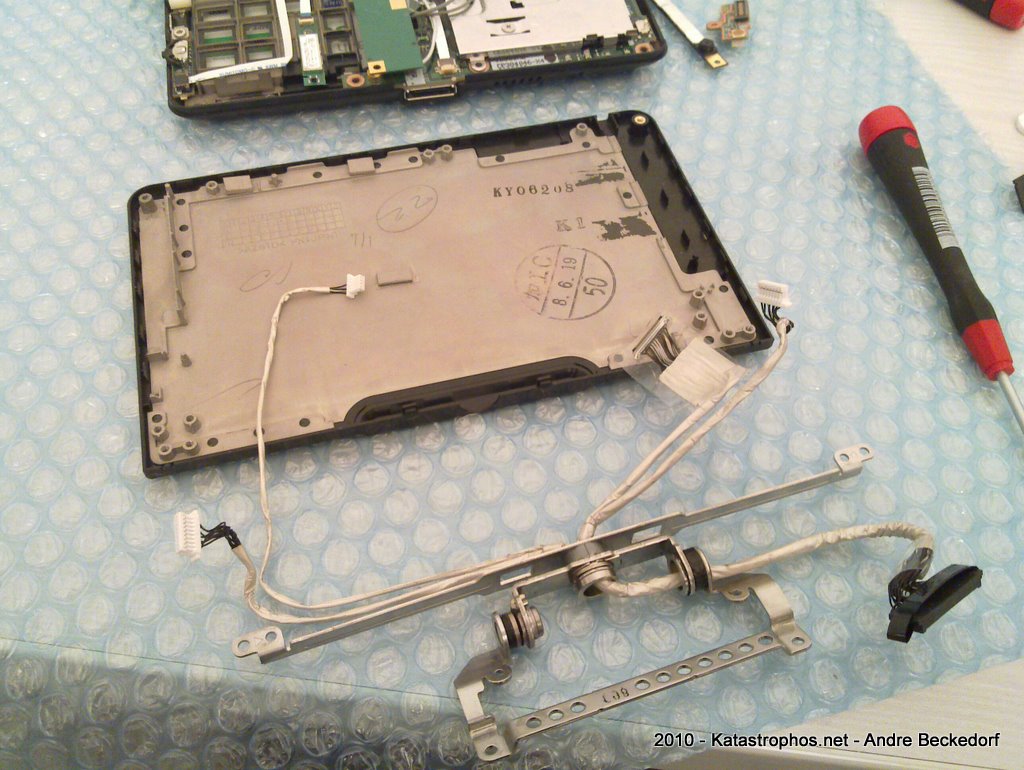
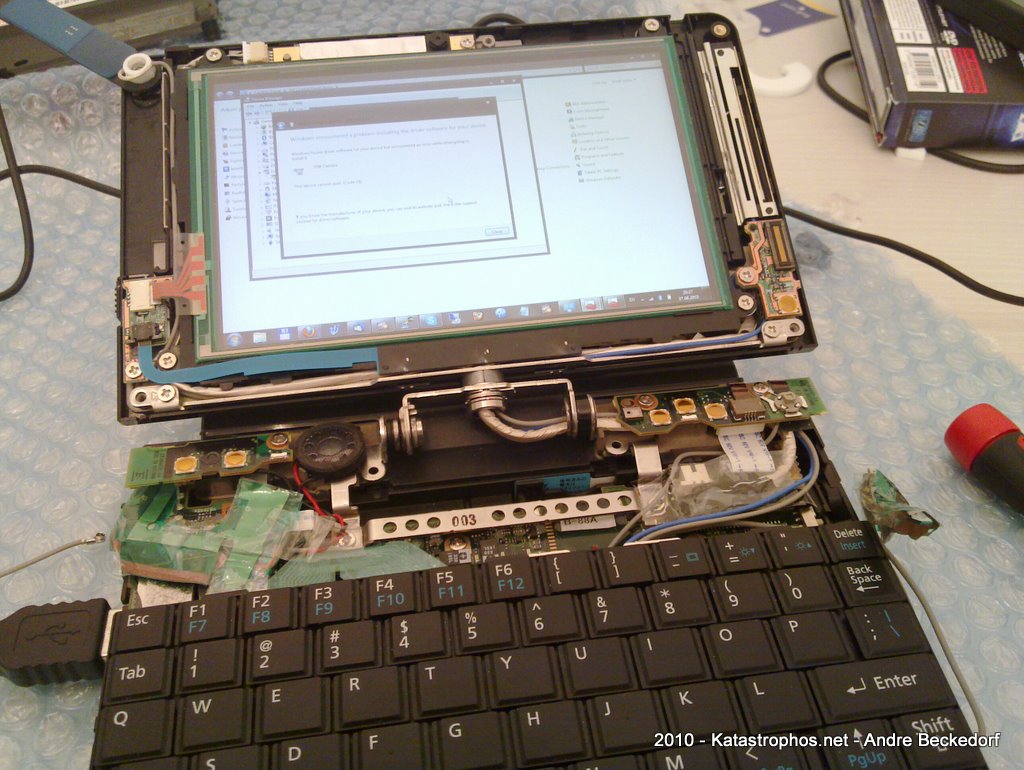
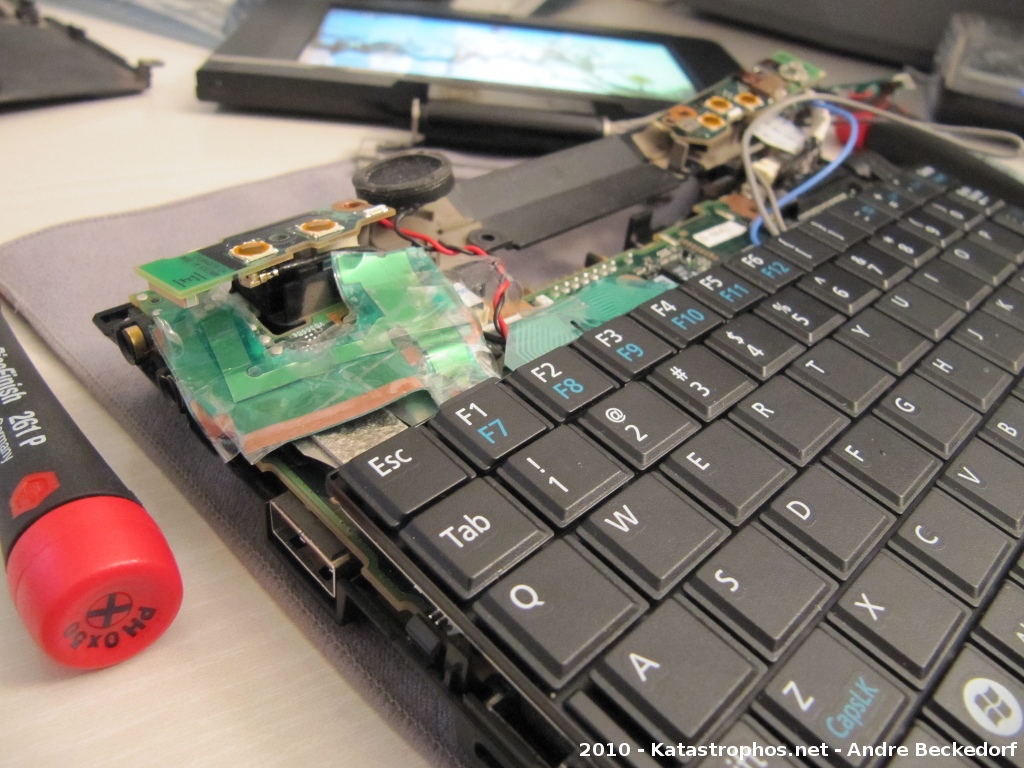
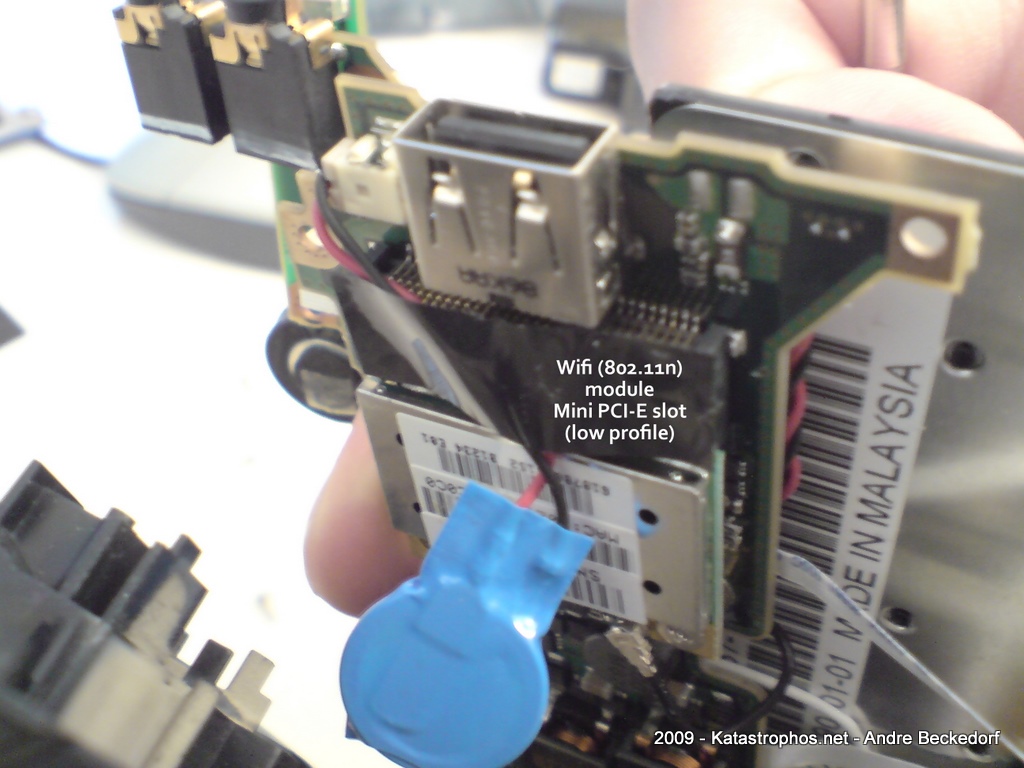
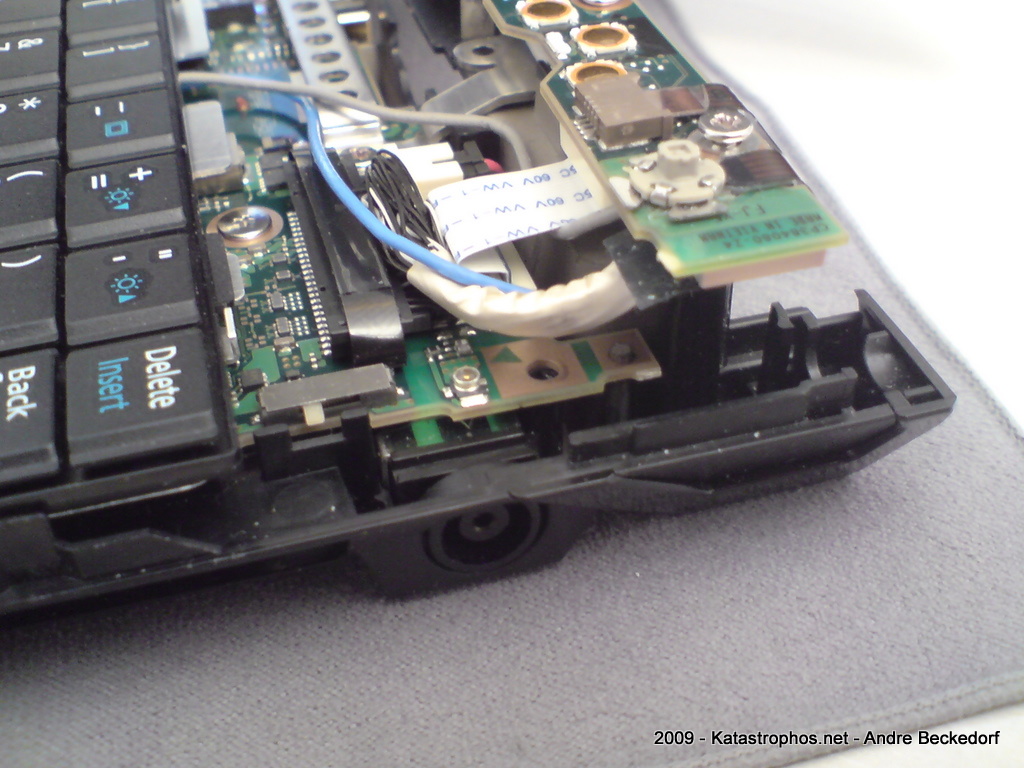
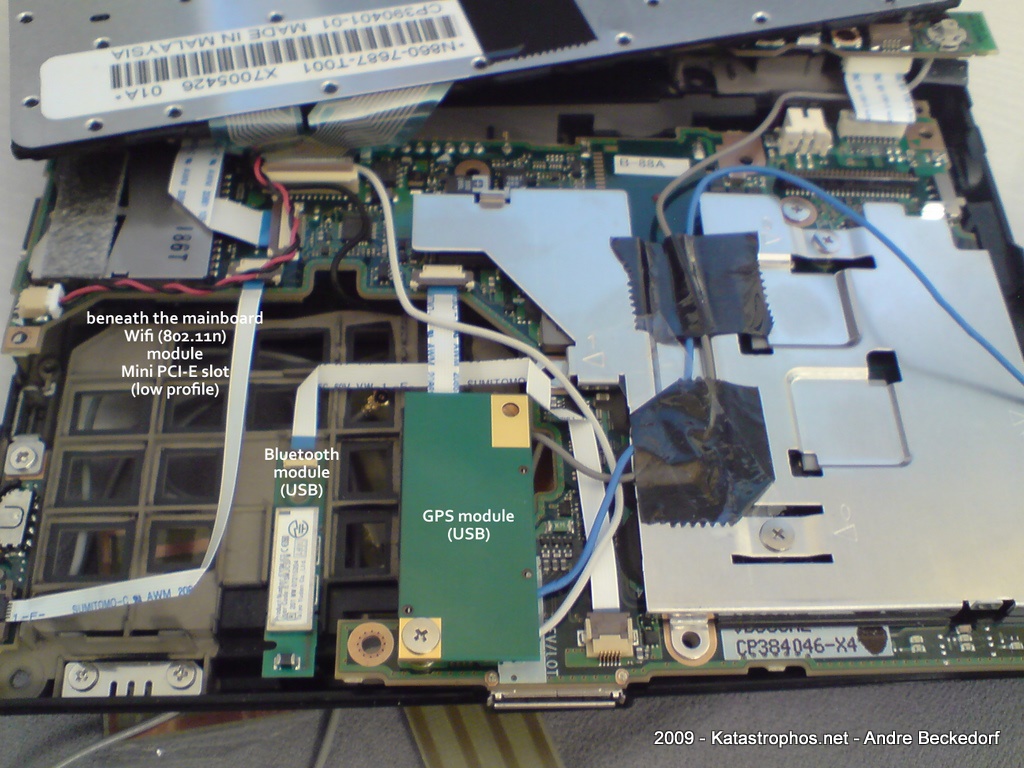
The big problem with this solution however is the fact that the U2010 is so crammed internally that it is hard to add any new conventionally available antennas. The device already has six antennas: two for Wifi, two for GPS, one for Bluetooth and one for the FM Transmitter. However I was not able to use any of these without sacrificing the functionality of these connectivity options.
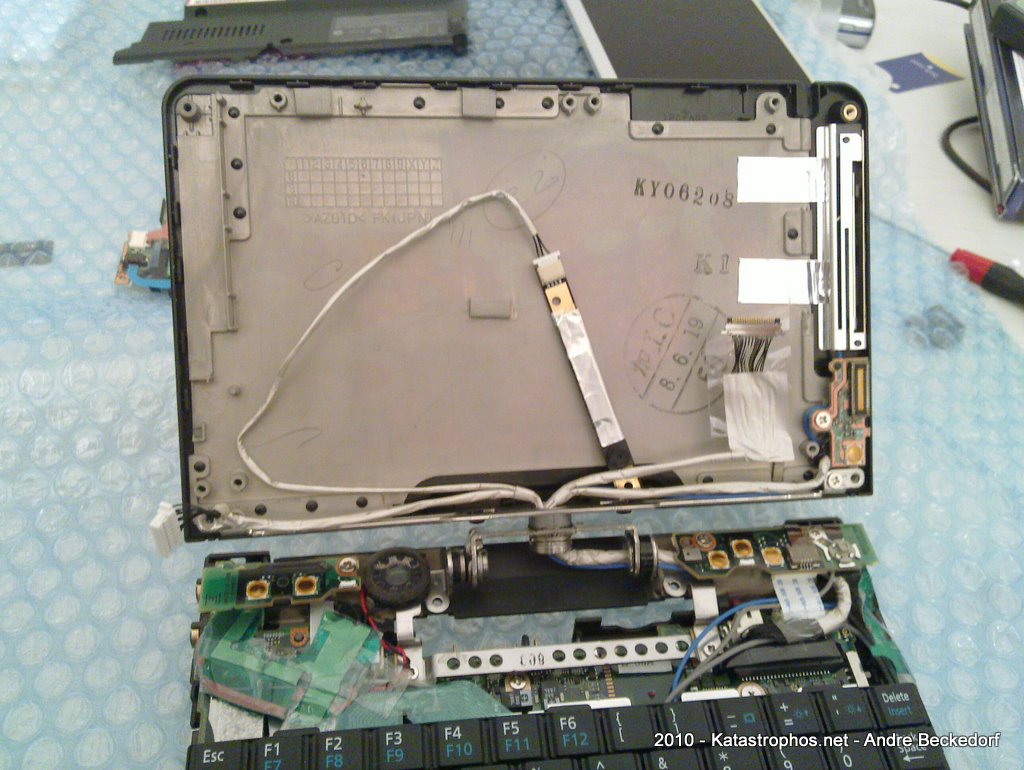
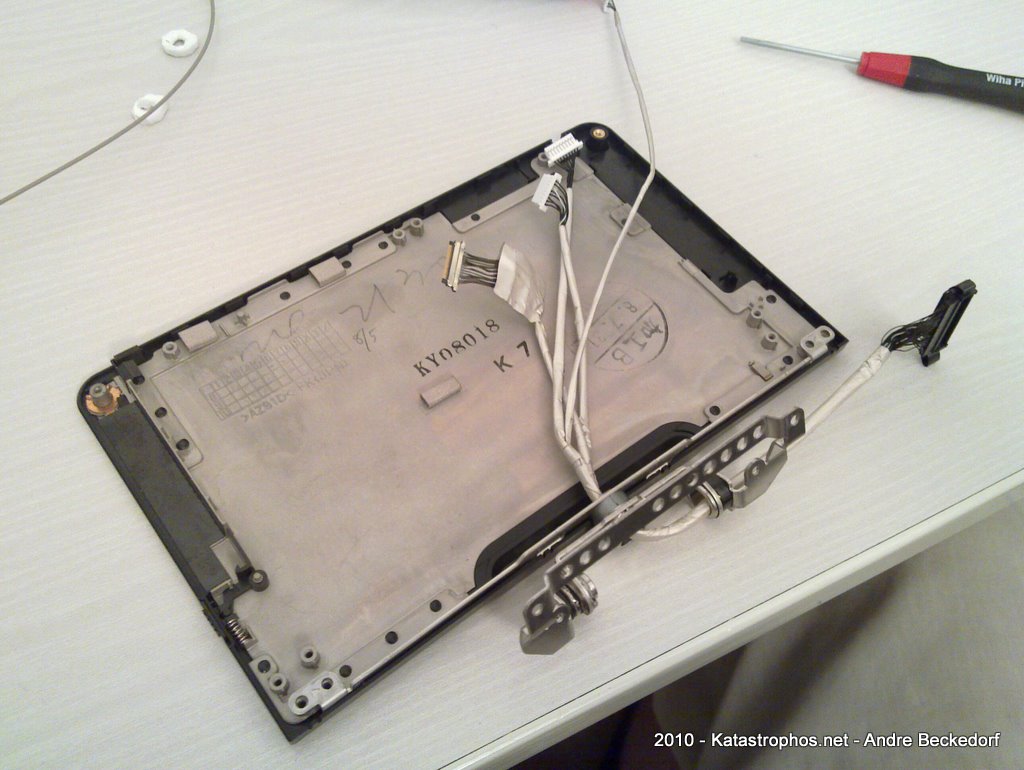
Some retailers offer antennas with the module which are to be installed in the display lid and are too big to fit into the casing of the U2010. I refrained from opening up the lid and was looking for a different solution instead:
Why not use the same antenna a mobile phone uses?
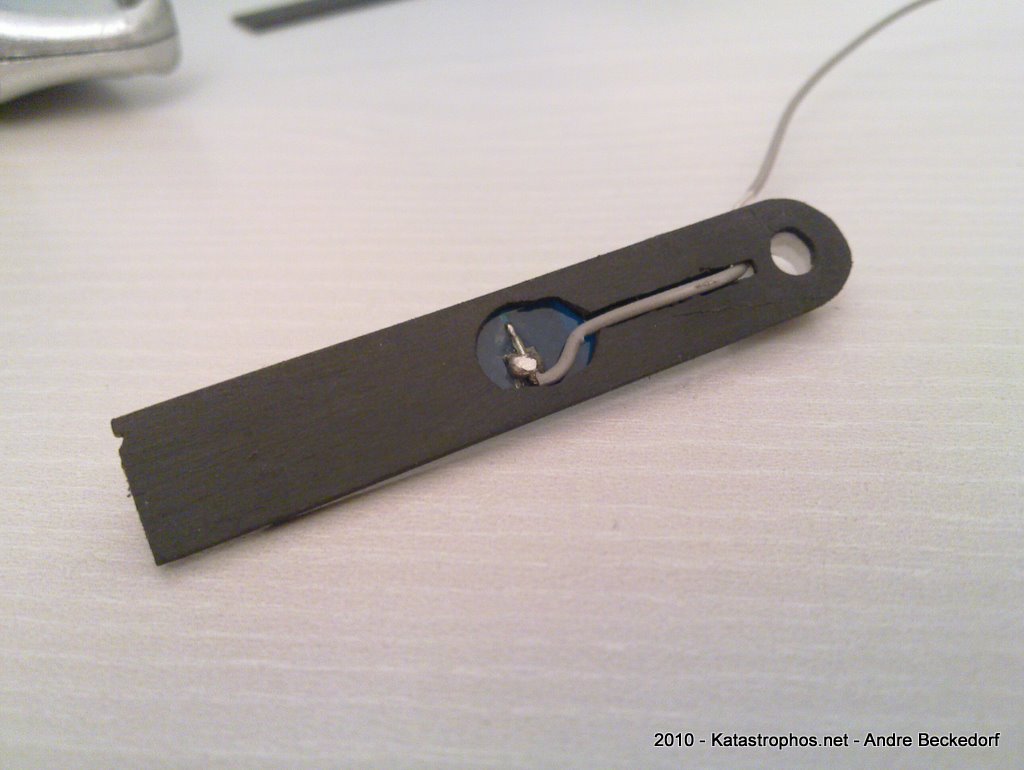
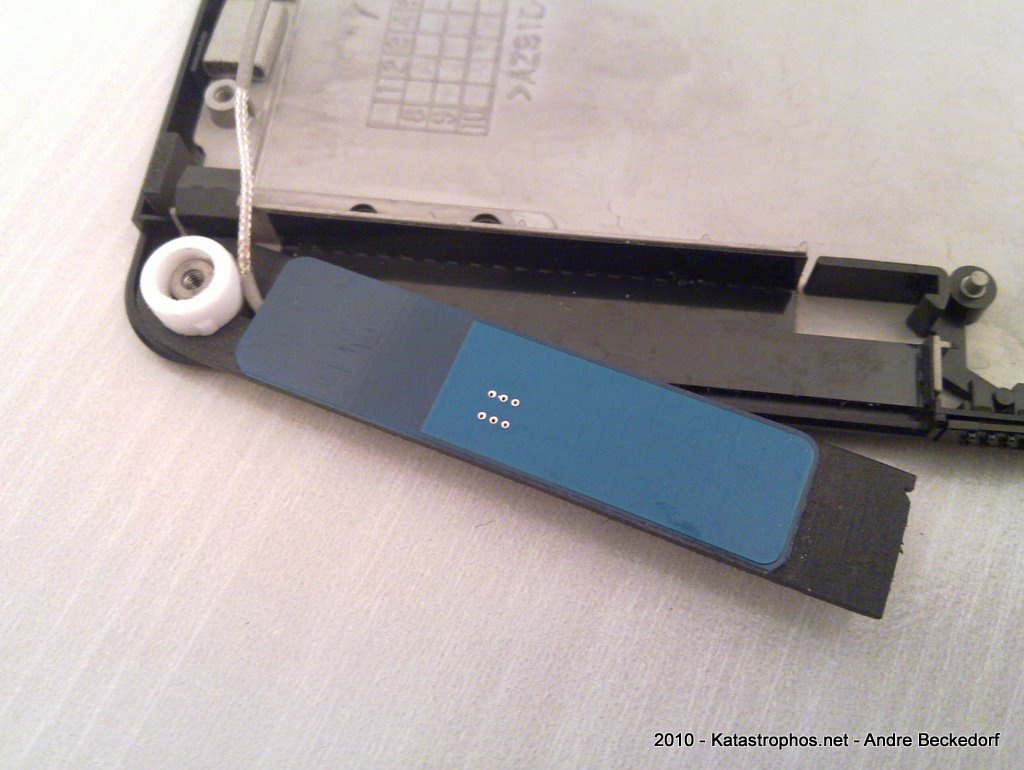
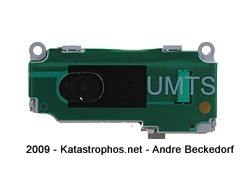
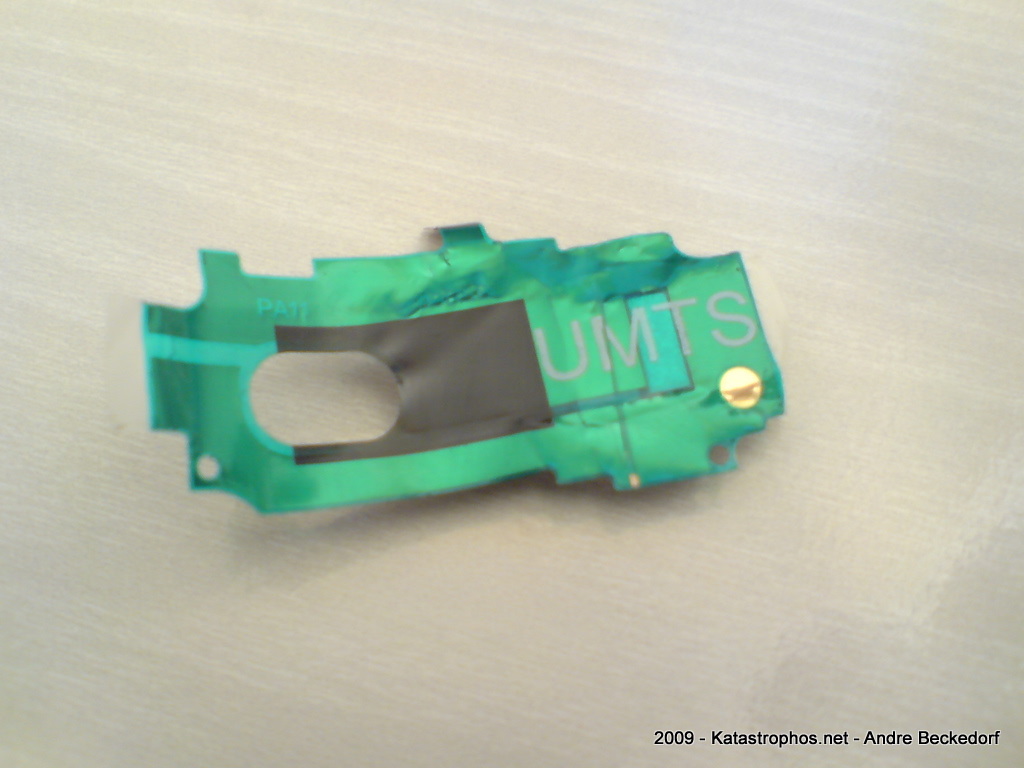
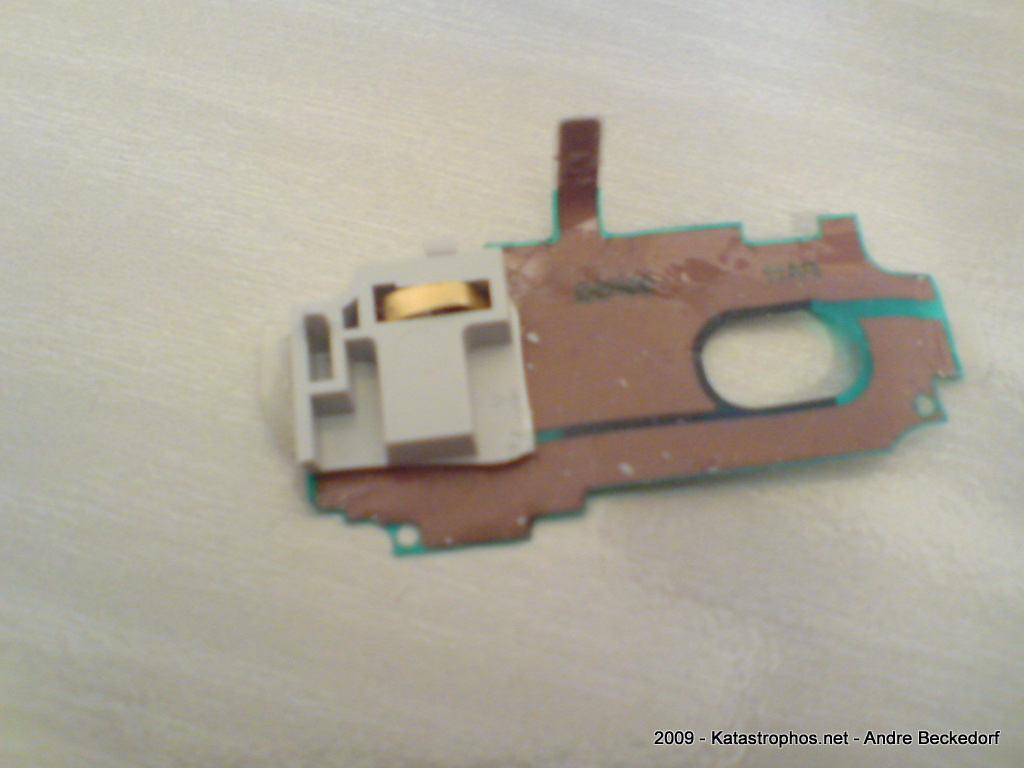
As luck had it, a friend of mine had a broken Sony Ericsson K800i lying around, which I took apart and removed the antenna assembly from. You can also get the whole assembly as replacement part from several dealers at eBay. Fortunately the antenna is a film based one which can be stripped away from the plastic part it is fixed on. Due to the flexible form of the antenna you are free to place it almost anywhere in the case.
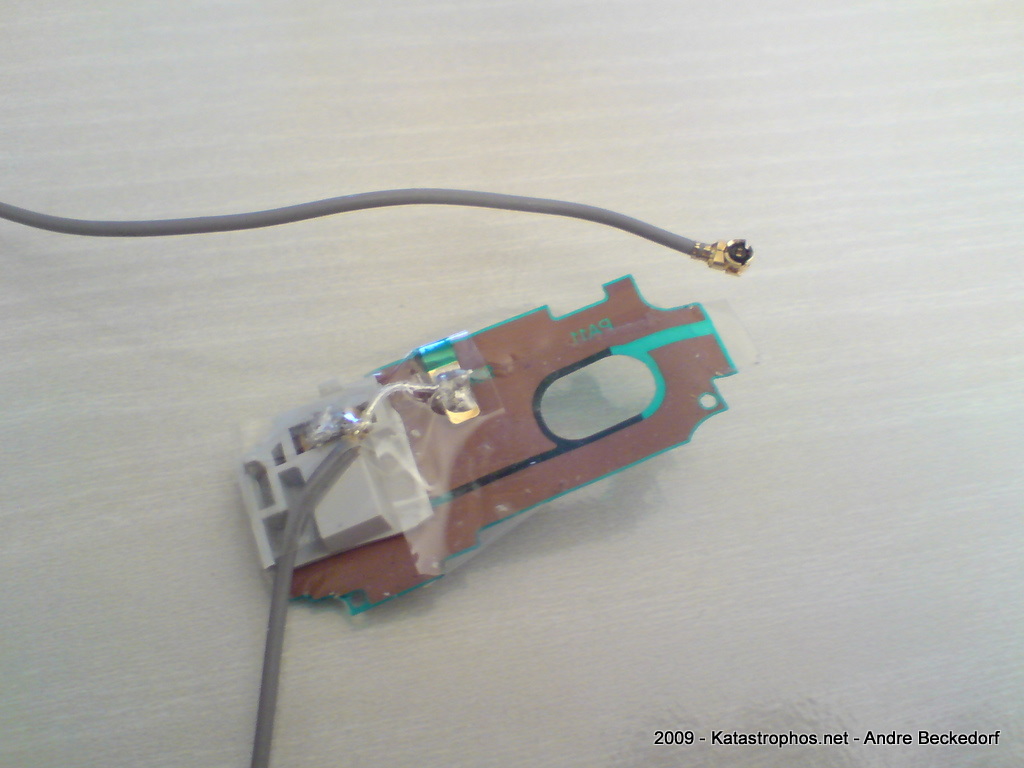
So I got an antenna cable with a Hirose U.FL / IPAX pigtail and soldered the other end of the cable onto the copper pads of the film antenna.
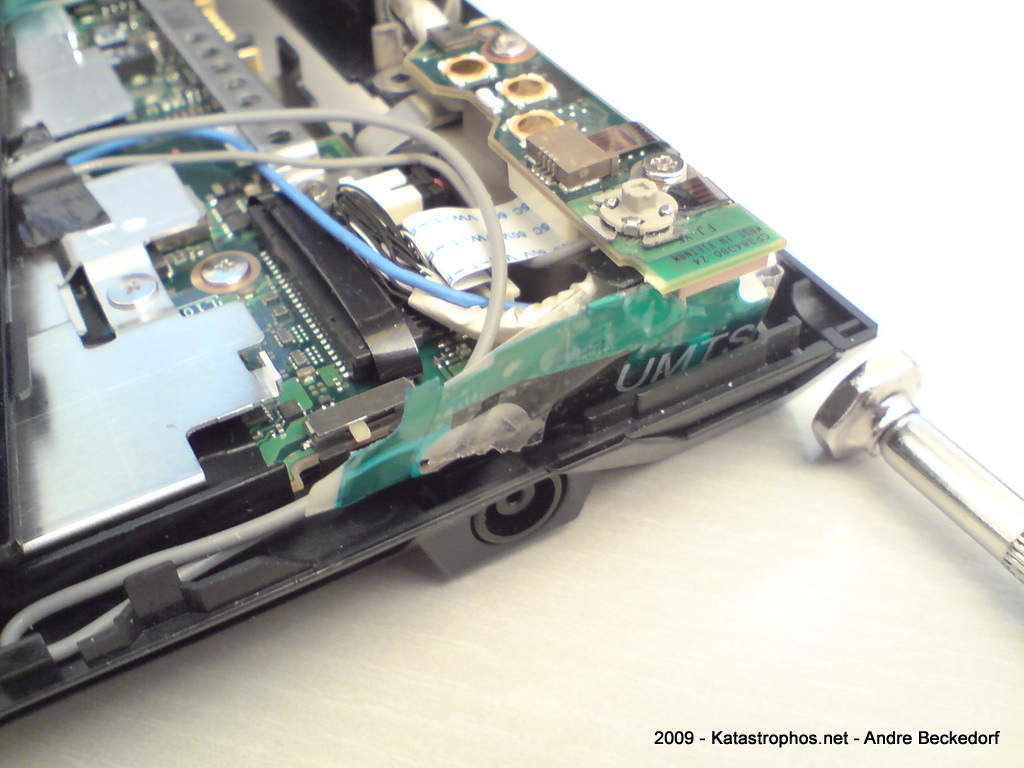
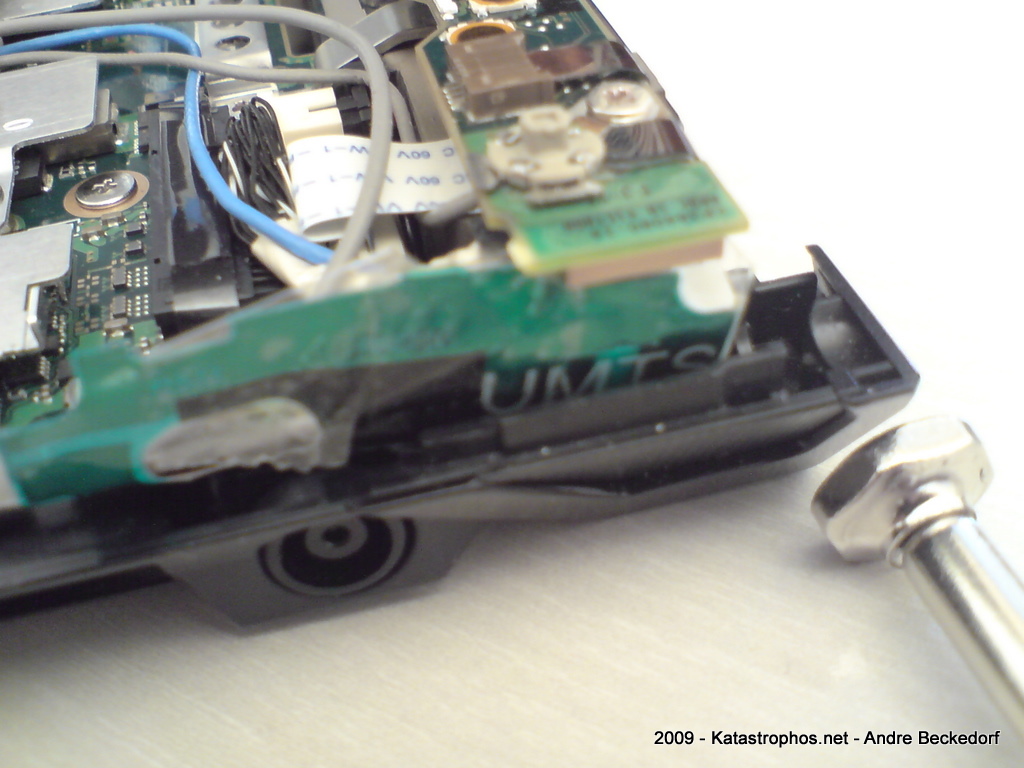
If you intend to do the same here is a word of warning: Be sure to use a placement inside the casing that is not covered by the silvery radiation shield coating as it will dramatically reduce the reception quality of the signal. I had to sand down some of the coating to get better signal strength. Your mileage may vary.
11 comments | tags: 3G, Fujitsu U2010, Fujitsu U820, Hack, Hardware, HSDPA, Upgrade
Mar 16 2009
I’m currently setting up a nightly build system for Quasar on my Linux box which is running Debian. This system also cross-compiles Quasar for Windows.
The Windows version of Quasar is going to be available in two fashions: one self-contained, portable version and one version that can be installed.
I’m not a huge fan of installers. But when it comes to creating a setup program for a given Windows application I’m quite accustomed to Inno Setup having used it for years. Unfortunately there is no native Linux version of the Inno Setup compiler available for Linux. NSIS exists as package for Debian but I am not fond of using it, largely because I am a Delphi guy. :)
So, here is a small guide on how to get the Inno Setup compiler up and running on Debian:
First step is to install Wine either as super user or by using sudo:
sudo apt-get install wine
As normal user fire up your X server and your favourite terminal application and get the latest Inno Setup QuickStart pack:
mkdir /tmp/innosetup
cd /tmp/innosetup
wget http://files.jrsoftware.org/ispack/ispack-5.2.3.exe
wine ./ispack-5.2.3.exe
This will start the installer in Wine. Note, for the installation you will need a running X11 server since the installer obviously is graphical. If you have not set up Wine before, the default location C:\Program Files\Inno Setup 5 will install to ~/.wine/drive_c/Programme/Inno Setup 5.
Luckily the Inno Setup compiler offers a command line interface, ISCC.exe, which will run in Wine without the necessity of having a X server running. So it is ideally suited for automated runs.
Here is a simple wrapper shell script called iscc:
#!/bin/sh
unset DISPLAY
scriptname=$1
[ -f "$scriptname" ] && scriptname=$(winepath -w "$scriptname")
wine "C:\Program Files\Inno Setup 5\ISCC.exe" "$scriptname" "$2" "$3" "$4" "$5" "$6" "$7" "$8" "$9"
I installed this script in my local bin directory (~/bin) and added it to the PATH environment variable.
This will allow running the Inno Setup compiler from anywhere and it also makes it very easy to integrate into a build script. You can even feed a script via stdin, e.g. something like:
iscc - < ./myscript.iss
no comments | tags: Debian, Development, Findings, Hack, Linux, Quasar Media Player, Server, Windows
Jan 10 2009
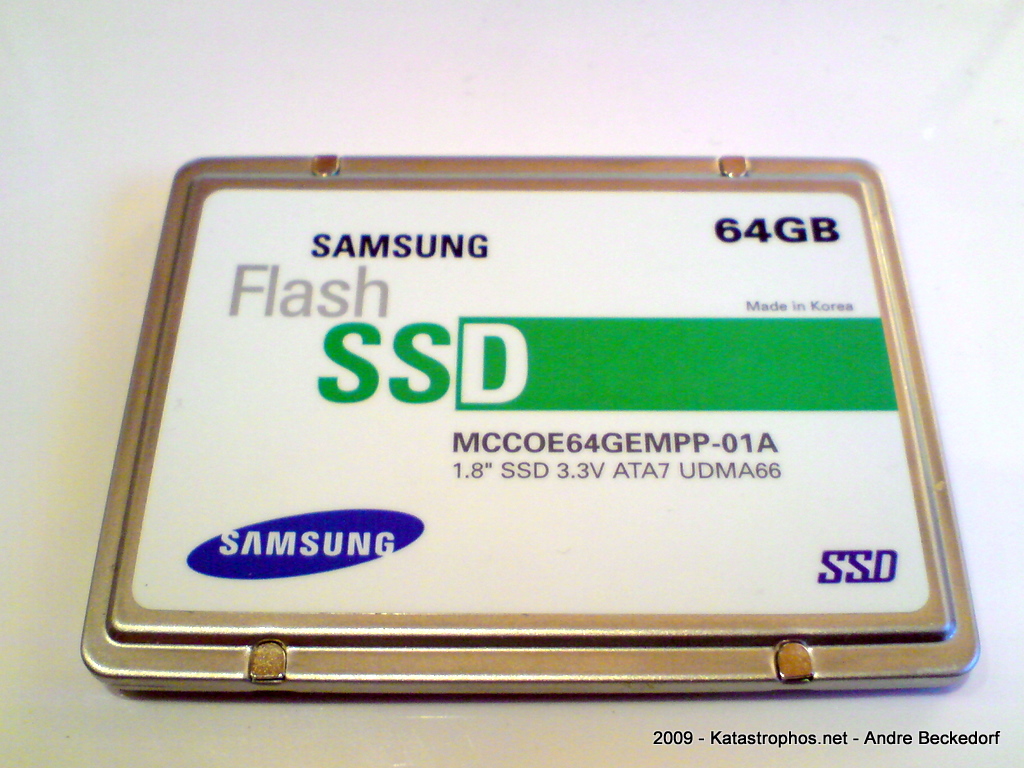
I recently decided to upgrade my Fujitsu U810 with a solid state drive.
Unfortunately, since the U810 only offers a PATA interface the options are quite limited to just a few high-priced (compared to SATA) 1.8″ SSD models by either Samsung, Sandisk (SanDisk SSD UATA 5000, discontinued) or MTRON (MSD-PATA3018-032-ZIF2 et al.).
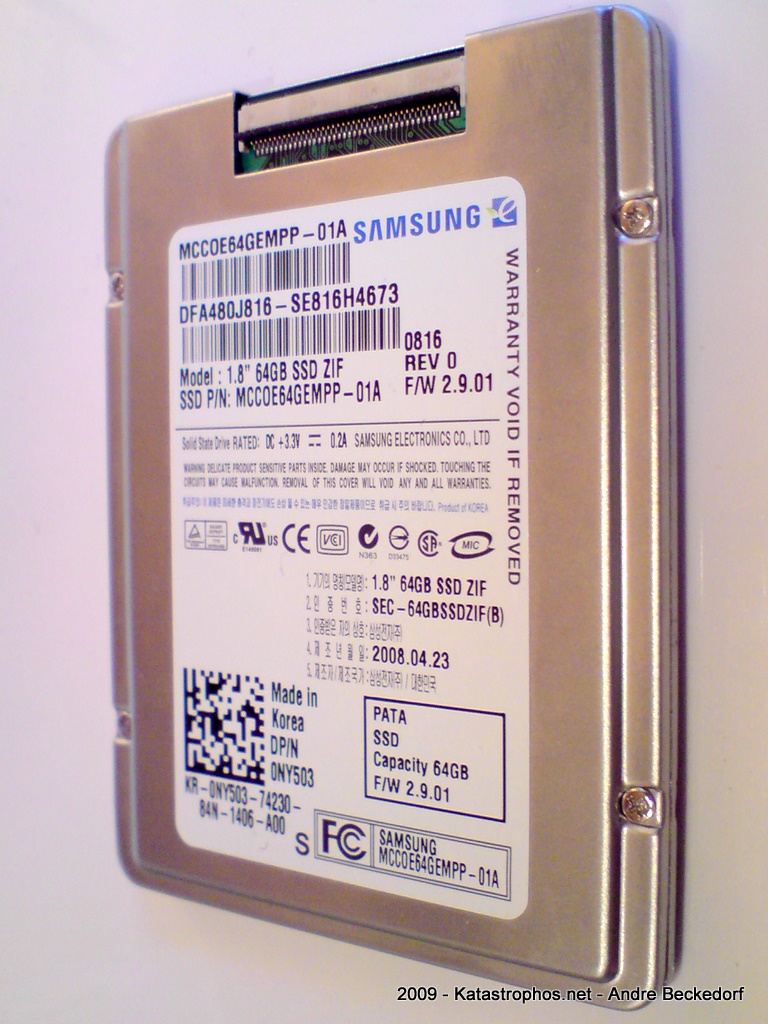
I went for a 64 GB SLC drive manufactured by Samsung. The exact model name is MCCOE64GEMPP. The same 1.8″ PATA-drive is available as bulk version without the metal enclosure that is protecting the PCB: MCCOE64GQMPQ
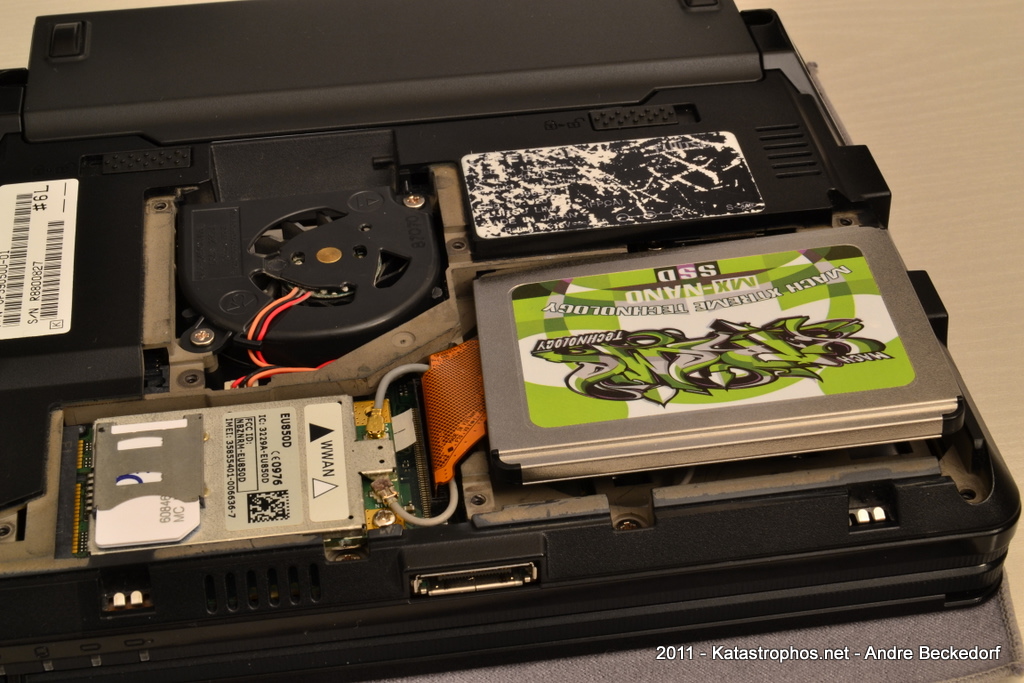
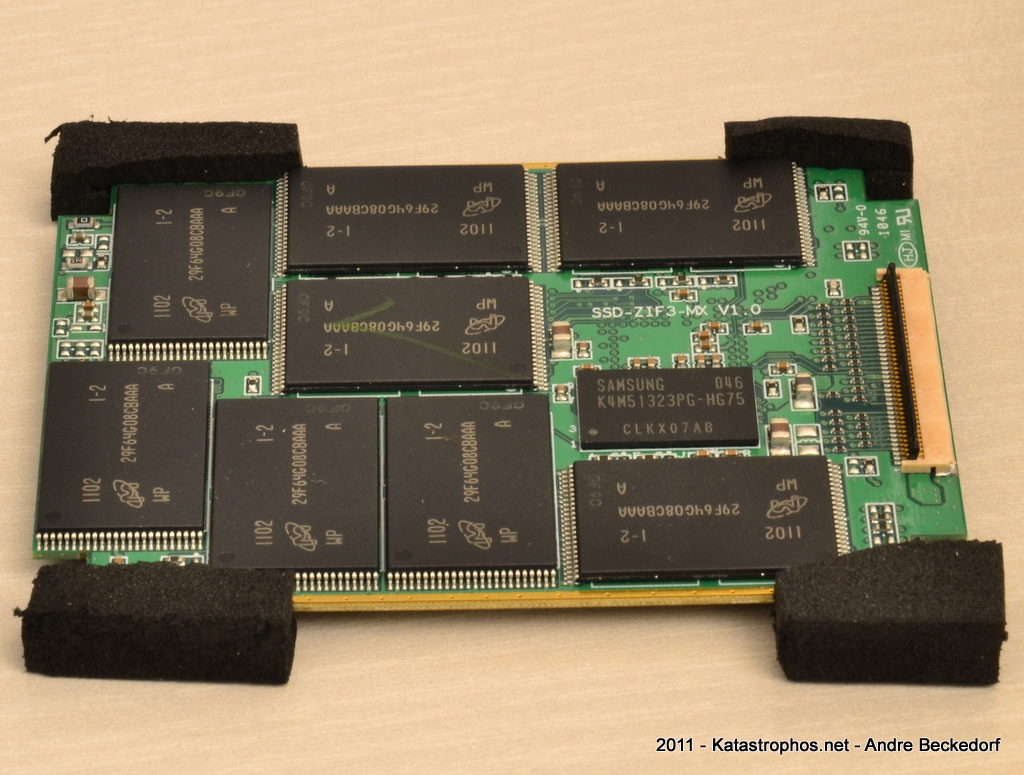
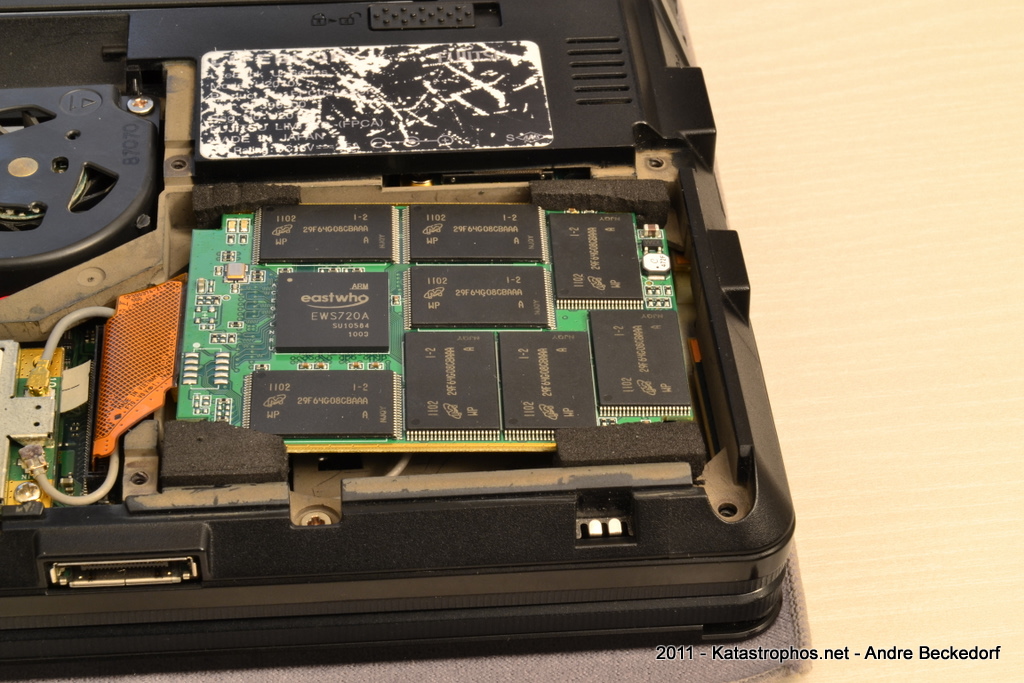
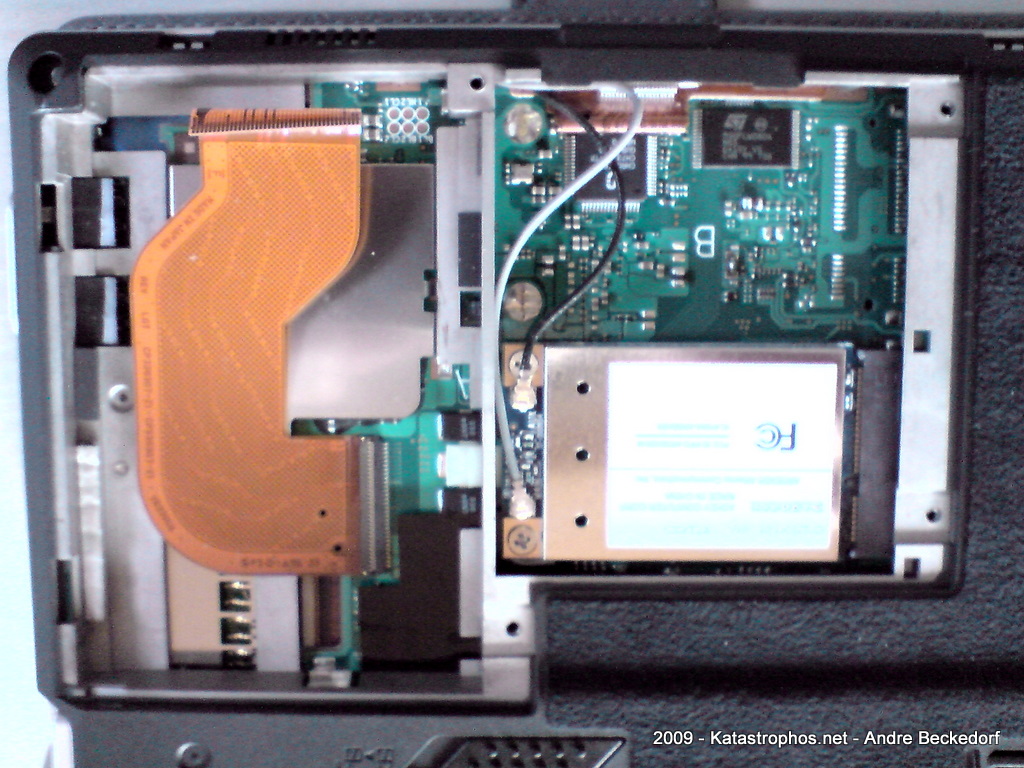
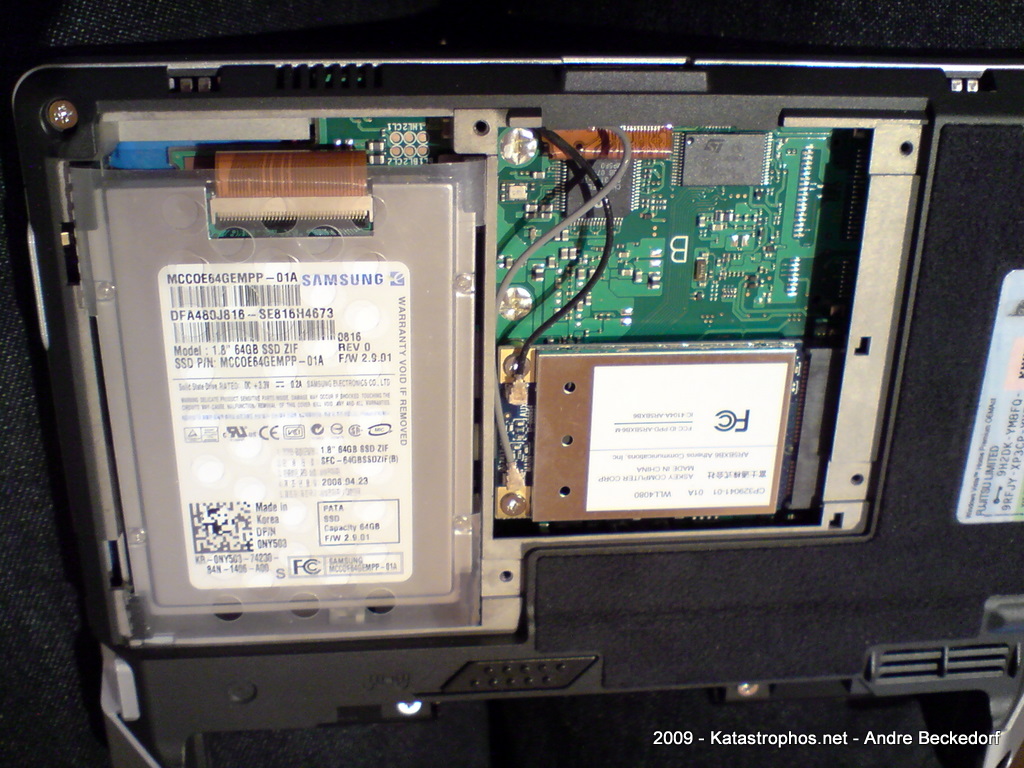
Here are some photos of the drive itself and how to install it in the U810. Note, the drive is 5 mm high and will fit into the U810 without any modifications.
Also keep in mind that the U1010 has a different connector (50-pin IDE instead of ZIF), so these ZIF-drives will not work here. However, there are reports on UMPC Portal that suggest that it is possible to get a replacement connector flat band cable for the U810 that is the 50pin IDE cable, so I guess it is also possible the other way around for the U1010.


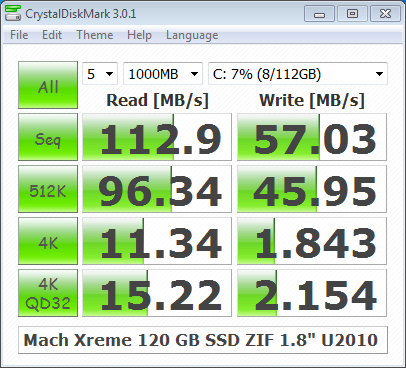
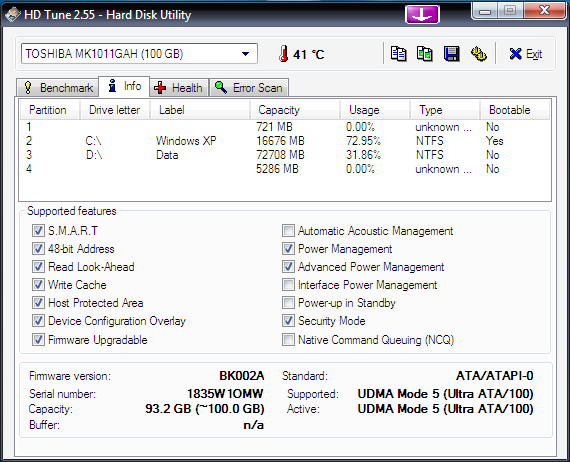
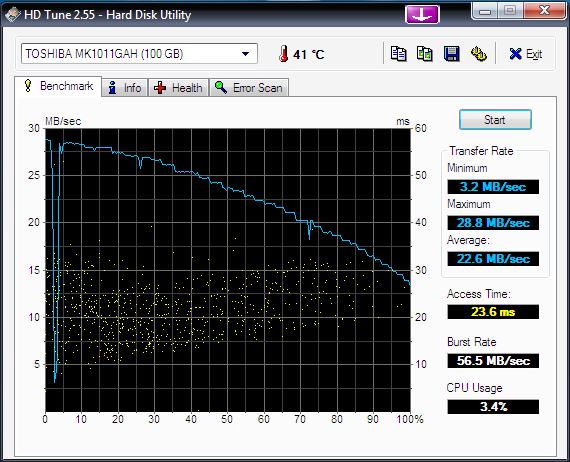
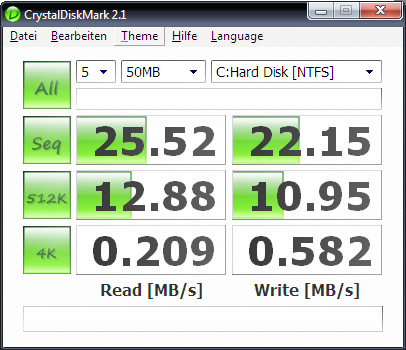
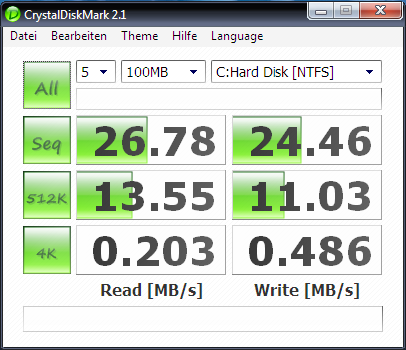
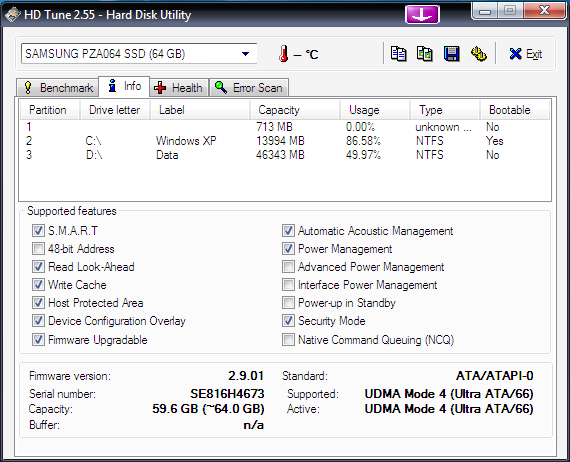
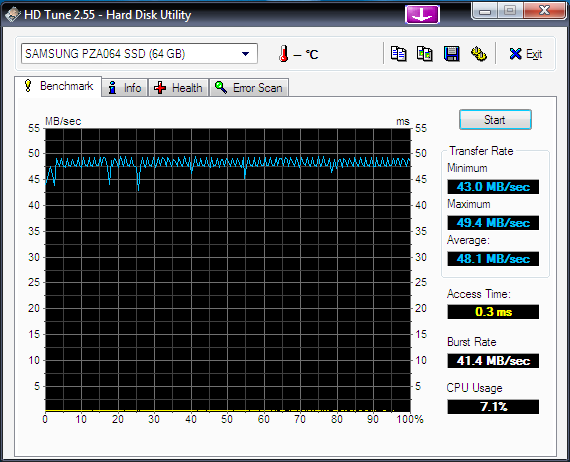
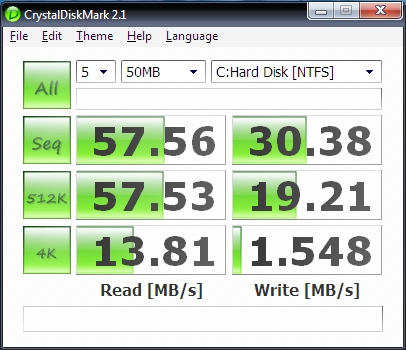
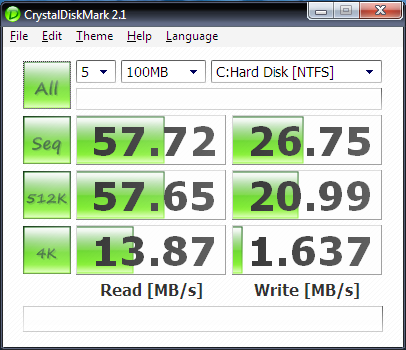
Here are the obligatory benchmarks comparing the new SSD against the old Toshiba MK1011GAH 100 GB hard drive that was previously installed in the U810:
Toshiba MK1011GAH:


Samsung MCCOE64GEMPP:


Needless to say that applications cold-launch a lot faster with the SSD. (Firefox with 12 add-ons: ~10 s before -> ~6 s after, Chrome: ~3 s before, ~1 s after, Thunderbird: ~8 s before -> ~3 s after).
Startup time was reduced quite a bit but not dramatically. However, returning from sleep and hibernate saw a huge improvement. Unfortunately I can not provide values of the old drive, so no comparison.
I did not notice longer battery run times. However, the whole system runs a lot cooler because the SSD naturally does not produce heat as extensive as the HDD did.
I am satisfied with this upgrade – especially since it has boosted compile-times when working with CodeGear RAD Studio and Delphi – due to the great performance when accessing, reading and writing small files. Your mileage may vary.
3 comments | tags: Fujitsu U810, Hack, Random, SSD, U810, Upgrade | posted in Fujitsu U810
Dec 30 2008
Double-Slash-Whole-Block-Commenting
Here is a simple way to disable or enable whole code blocks with just two slashes:
PHP / C++:
/*
Block (commented block)
//*/
///*
Block (active block)
//*/
Object Pascal/Delphi:
(*
Block (commented block)
//*)
//(*
Block (active block)
//*)
Alternatively you can use { and } in the Object Pascal/Delphi example.
Double-Slash-Whole-Block-Switching (Object Pascal/Delphi only)
The Object Pascal dialect used in Delphi supports three ways of commenting code, two for commenting whole blocks ( { } and (* *) ) and one for commenting lines ( // ).
We can exploit this feature to switch between two code blocks easily and fast:
Block 2 is in the enabled state:
{
Block 1 (commented block)
(*}
Block 2 (active block)
//*)
Note, I am just adding two slashes in front of the first comment block to activate it again – similar to Double-Slash-Whole-Block-Commenting trick above. This will also magically disable the second block due to the way the comment marks are arranged:
//{
Block 1 (active block)
(*}
Block 2 (commented block)
//*)
These tricks are probably applicable to other programming languages as well. Please let me know.
2 comments | tags: Delphi, Development, Findings, Hack | posted in Uncategorized
Mar 15 2008
All right, this post is just to stop somebody else’s suffering in figuring out why writing to stdin in QProcess on Version 3.3.x-8 of Q…/Free doesn’t work on Windows. Well, actually it works but just for the first line you write to stdin. There is a bug in qprocess.cpp at line 730:
void QProcess::writeToStdin( const QString& buf )
{
QByteArray tmp = buf.local8Bit();
tmp.resize( tmp.size() - 1 ); // drop the implicit \0
writeToStdin( tmp );
}
should be:
void QProcess::writeToStdin( const QString& buf )
{
QByteArray tmp = buf.local8Bit();
tmp.resize( buf.length() );
writeToStdin( tmp );
}
Verision 3.3.7-7 includes the latter method, same as the latest Qt 4.3 sources. So, it’s actually a regression in 3.3.x-8. If you require the latest Qt 3 / Q…/Free for your open source application and need to write to some other processes’ stdin, you can just use a wrapper workaround that uses the latter method and directly uses writeToStdin( const QByteArray& buf ) instead of the QString variant.
no comments | tags: Development, Findings, Hack, Quasar Media Player, Random, Windows | posted in Uncategorized
Mar 10 2008
So Windows Vista finally allows to enable ClearType font smoothing for Remote Desktop / Terminal Services sessions. Update: Windows XP SP3 does too!
If you try to connect to a machine running Windows XP SP 3 or later using rdesktop, you won’t get smoothed font typing since at the time of this writing rdesktop does not officially offer an option to control this feature. However, here is a workaround:
› Continue reading
9 comments | tags: Development, Findings, Hack, Linux, OS X, Random, Windows
Aug 9 2007
Today I’m officially releasing my extended driver and mixer for the Wolfson WM8750 CODEC / sound chip that comes included in the latest Zaurus models.
The driver exposes the following new features:
- ability to set and control Treble, Bass and 3D stereo sound enhancement;
- ability to set and control various cut-off frequencies supported by the sound chip;
- output source selection (Autodetect, Internal Speaker, Headphone).
These features can be easily accessed via a Qt based mixer control app or directly via a /proc/driver/wm8750 kernel interface.


Both, the driver and the control app are available for Sharp ROM / Cacko ROM and pdaXrom beta 3 / pdaXii13.
Kernel patches are available for Sharp’s Linux kernel 2.4.20 and can be downloaded here:
http://www.katastrophos.net/zaurus/sources/wm8750mixer/
(No kernel 2.6.x support yet. Sorry folks.)
By default the audio driver is compiled into the kernel. Sharp didn’t compile it as module, so it can’t be easily replaced. Same goes for most third party ROMs. You’ll have to reflash your kernel to install the new driver.
In case you don’t want to roll your own kernel, I’ve made pre-compiled kernels available for all supported ROMs and models here:
http://www.katastrophos.net/zaurus/kernels/v55/
The control app and start up scripts are available as IPK here:
wm8750mixer_0.9_arm.ipk – WM8750 mixer for Sharp ROM / Cacko ROM
wm8750mixer_0.92_armv5tel.ipk – WM8750 mixer for pdaXrom beta 3 / pdaXii13
On a side note, we’ve been discussing the extended features of the WM8750 audio chip for quite some while in this thread over at the OESF forums. I have the feeling the driver and the Qt application have received a fair bit of testing. So, that’s why I am officially releasing it today.
6 comments | tags: Development, Gadgets, Hack, Linux, Zaurus | posted in Uncategorized
Jan 4 2007
Update: SQLite now features an integrated timer which can be activated via the .timer command in the console shell. Details here.
As a follow-up to my previous post “SQLite performance tuning and optimization on embedded systems” here is a very basic patch that introduces support for timing SQL queries in the sqlite3 console shell.
SQLite 3.3.8:
Patch against shell.c shell.c
SQLite 3.3.9 CVS – shell.c rev 1.157:
Patch against shell.c shell.c
Two new shell commands are introduced in sqlite3:
.profile ON|OFF Turn profiling on or off
.timer start|show Measure elapsed CPU time
.profile ON will turn off output to stdout. Instead it will display CPU execution time for every SQL command processed.
Here is an example output:
sqlite> .profile on
sqlite> .read test1.sql
Exec time BEGIN; : 0.000 s.
Exec time DROP TABLE IF EXISTS playlist_view; : 0.020 s.
Exec time DROP TABLE IF EXISTS overview; : 0.000 s.
Exec time CREATE TEMPORARY TABLE playlist_view AS ... : 0.180 s.
Exec time CREATE TEMPORARY TABLE overview AS ... : 0.140 s.
Exec time SELECT DISTINCT genre, genre IN ("Progress... : 0.030 s.
...
Note: You can still override the output setting with the .output command after an .profile ON has been issued.
.profile OFF will turn off time-based profiling and reenable output to stdout.
.timer start will start a timer. You can execute a sequence of queries and then print the required CPU time via .timer show.
Use .timer start again to reset the timer. This .timer patch is based on SQLite ticket #1227 by Bartosz Polednia.
Timing is currently done using clock() which provides only a 10 ms precision for CPU time on most systems. This might be inadequate depending on your requirements. If you know a more precise way, please let me know.
7 comments | tags: Development, Hack, Quasar Media Player | posted in Uncategorized
Dec 19 2006
Last weekend I had the pleasure (!) to install Tiger on an ancient PowerMac that doesn’t feature any DVD-ROM drive. I don’t happen to have the special CD-version of 10.4 and trying to boot from an external DVD drive somehow failed. However, this Mac already had Firewire, so here is a little hint on how to install Tiger using a spare Firewire drive:
First off, you’ll need psync. I’ve tried Carbon Copy Cloner, but for some reason that didn’t work.
So, if you have Fink installed, do this:
$ fink install psync
Format the Firewire drive with HFS Extended. You don’t need Journaling, so please disable it.
Now, assuming you’re Tiger Install DVD is mounted at /Volumes/Mac OS X Install DVD and your formatted volume is mounted at /Volumes/OSX, type this into your Terminal to clone the content of the DVD over to the harddrive.
$ sudo psync -d "/Volumes/Mac OS X Install DVD/" /Volumes/OSX
Finally make the whole copy bootable by blessing it:
$ sudo bless --folder "/Volumes/OSX/System/Library/CoreServices" --bootinfo
Now, you may unmount and install. Fin .
no comments | tags: Hack, OS X, Random | posted in Uncategorized